Media Page
The media page is for managing apps library and modify downloaded songs, and upload new media.
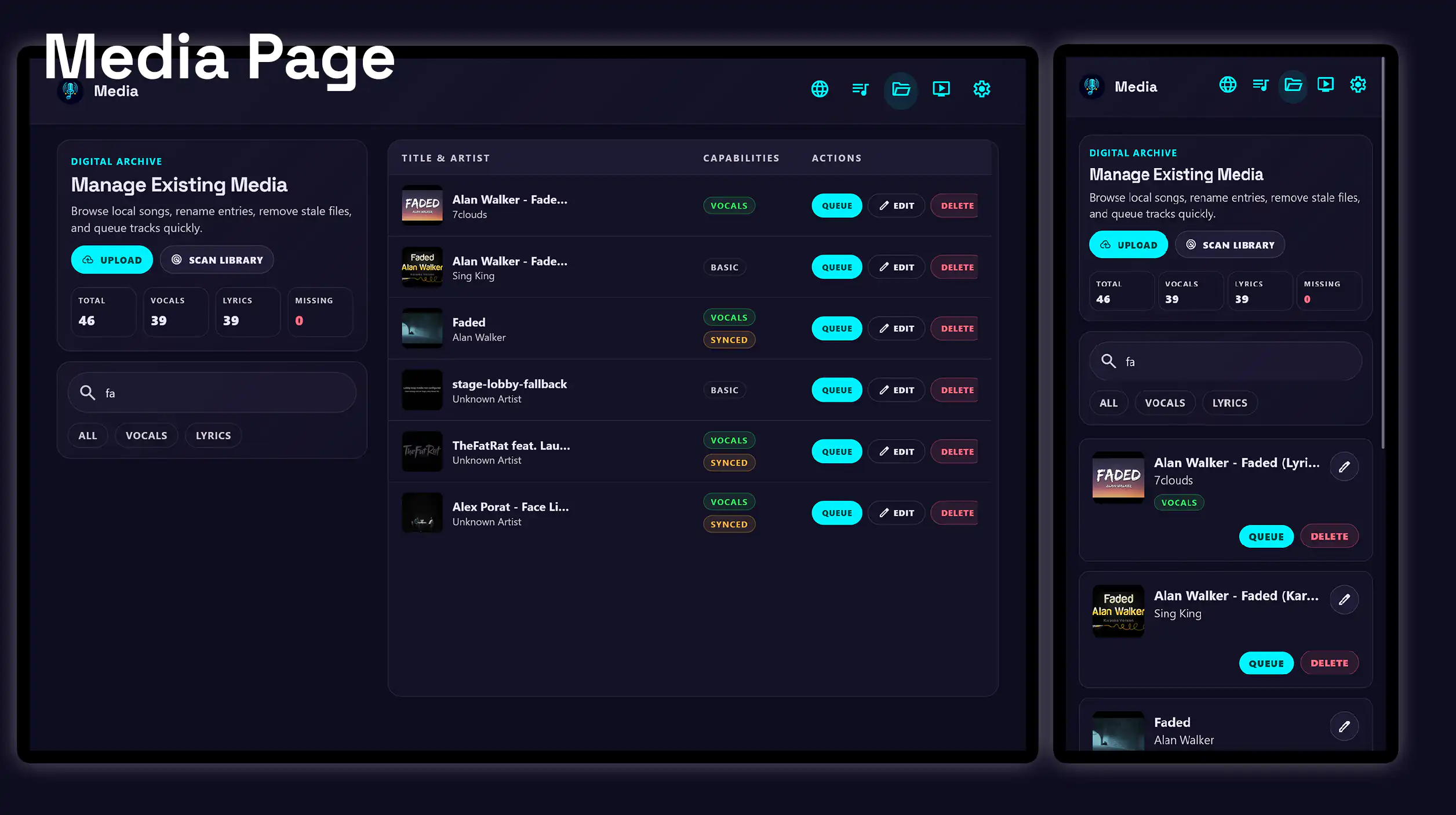
Highlights
-
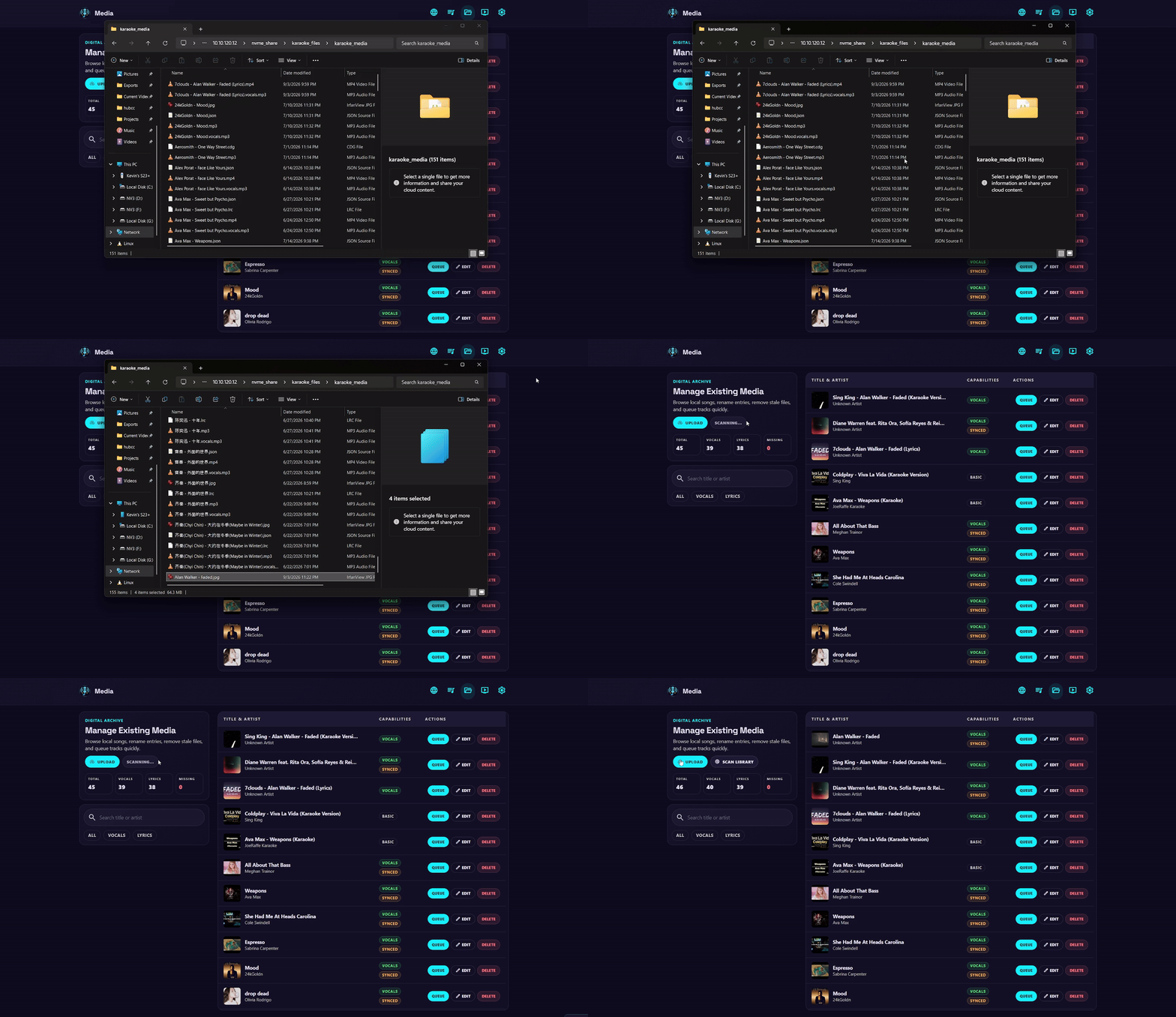
Manage media externally
Upload media through the app or externally.
- Upload video and audio tracks through the app.
- Run vocal separation and create karaoke from uploads.
- Detect files and assets managed by other applications.
- Quickly export media for backup or sharing.
-
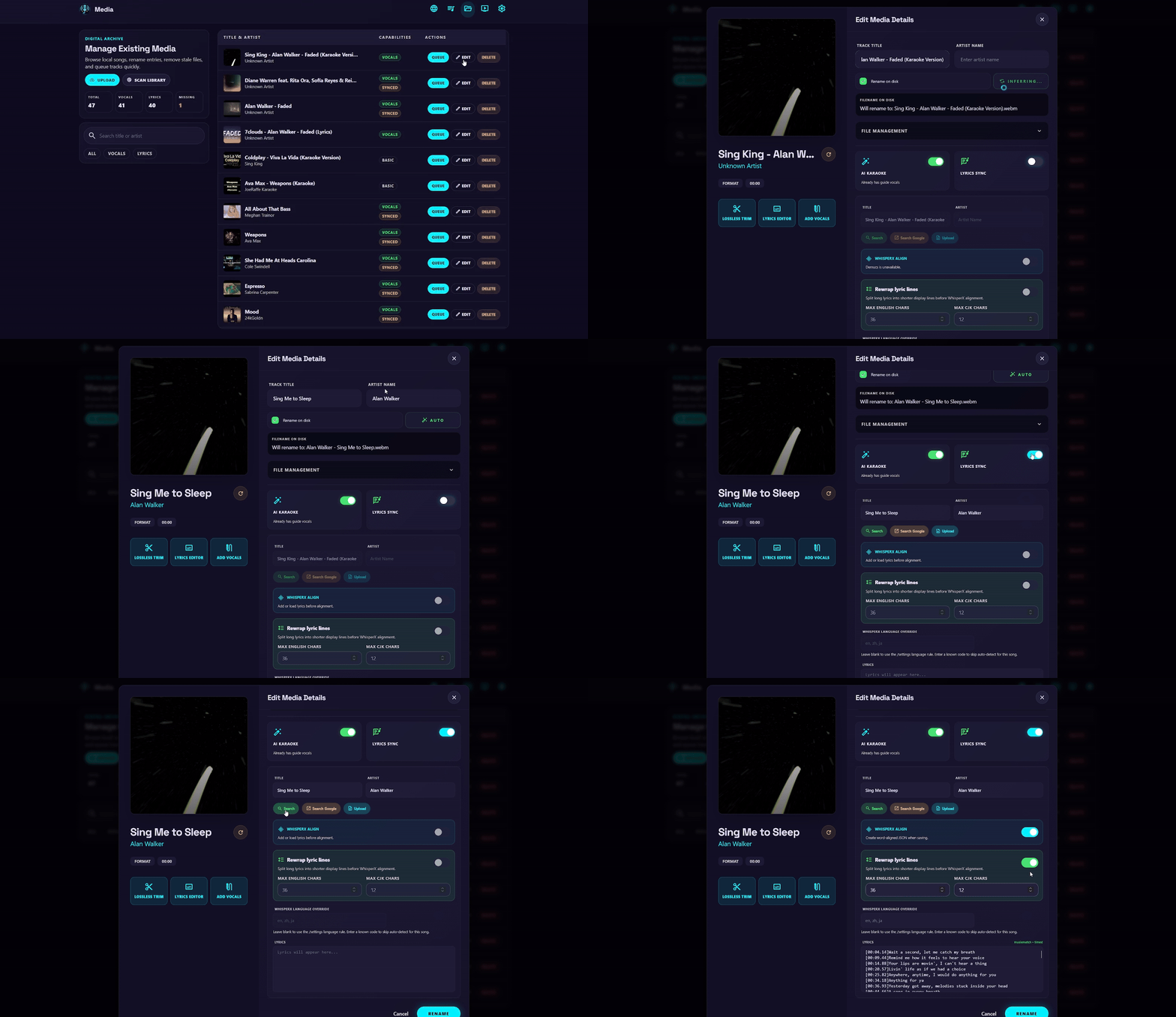
Create AI karaoke from existing media
Remove vocals and create karaoke lyrics from any existing media in the library.
- No need to follow the YouTube download process.
- Run vocal separation on existing tracks.
- Search for lyrics to create precise karaoke timings.
- Download, rename and delete sidecar files for karaoke.
-
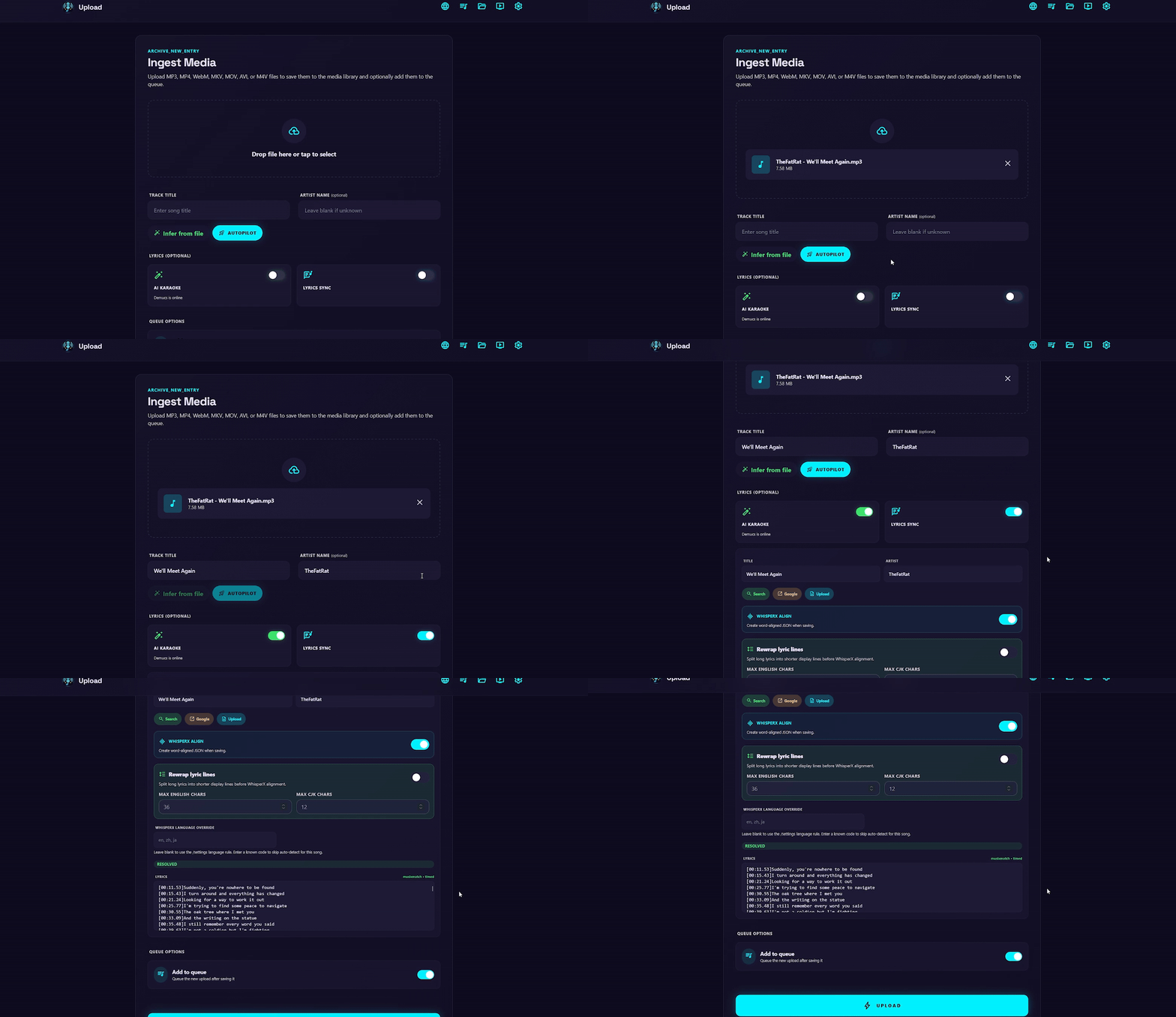
Upload autopilot
Default set of options which prepare the karaoke processing settings in one click.
- Automatically infer track information based on the file name.
- Automatically search and download lyrics for the track.
- Autofill the title, artist and karaoke processing options.
- Create optmized karaoke processing settings in one click before submitting.
What you can do
-
Search and filter for media
Search the entire library for songs and filter based on whether the track has vocals or synced lyrics.
-
Queue directly from media
Queue songs for playback while browsing the media library.
-
Scan/update library
Detect changes in filesystem or individual songs and update the library accordingly.
-
Smart rename
Use LastFM to automatically infer track title and artist from YouTube titles.
-
Advanced options
Customize the parameters for WhisperX lyrics alignment options on existing media or uploads.