Karaoke Processing
During karaoke processing, the main application sends audio, or the full video when appropriate, to the Demucs service for separation. The service produces a vocal track and an instrumental track. Both tracks are sent back to the main application, where FFmpeg merges the instrumental track with the original video and saves the vocal track separately. The main application uses SSE (server-sent events) to report Demucs progress.
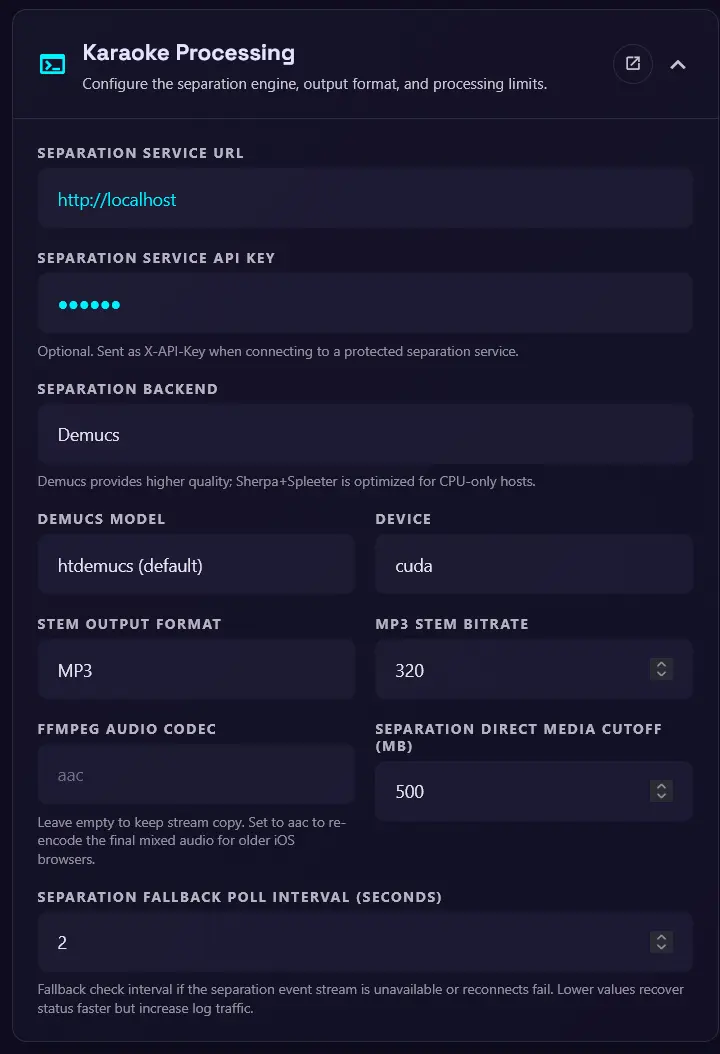
Use this page to configure the separation engine, output format, and processing limits. These settings can also be set with environment variables when a deployment needs fixed values.
Demucs service
Separation service URL
The URL of the Demucs service.
Separation service API key
An optional API key for the Demucs service.
API key strongly recommended for publicly exposed Demucs services
For users behind CG-NAT who share the Demucs service with a friend or family member, Cloudflare Tunnel or a similar service can expose Demucs to the main application. However, if the Demucs service is publicly exposed, anyone can use it, which is why an API key is strongly recommended. For setup details, see the Demucs service environment variables.
Separation options
Separation backend
Choose either Demucs or Sherpa+Spleeter.
Demucs model
The model used for separation. The default is htdemucs, which balances quality and speed. Other models include:
htdemucs: first version of Hybrid Transformer Demucs. Trained on MusDB + 800 songs. Default model.htdemucs_ft: fine-tuned version of htdemucs, separation will take 4 times more time but might be a bit better. Same training set as htdemucs.htdemucs_6s: 6 sources version of htdemucs, with piano and guitar being added as sources. Note that the piano source is not working great at the moment.hdemucs_mmi: Hybrid Demucs v3, retrained on MusDB + 800 songs.mdx: trained only on MusDB HQ, winning model on track A at the MDX challenge.mdx_extra: trained with extra training data (including MusDB test set), ranked 2nd on the track B of the MDX challenge.mdx_q,mdx_extra_q: quantized version of the previous models. Smaller download and storage but quality can be slightly worse.SIG: where SIG is a single model from the model zoo.
Sherpa+Spleeter model
The default is fp16. Choose int8, fp16, or fp32. The int8 model is the fastest and smallest, but may have lower quality than the fp16 and fp32 models.
Device
The device used for separation. Choose cuda or cpu, depending on the Demucs service's capabilities.
- If
cudais selected but the Demucs service does not support it, or uses the CPU-only Sherpa+Spleeter backend, separation falls back to the CPU.
Output options
Stem output format
Choose mp3 or wav. mp3 is recommended for faster network transfer and smaller storage.
MP3 stem bitrate
The bitrate for MP3 stem output. The default is 320. Set this lower, such as 128–160, if the network connection to Demucs is slow.
FFMPEG audio codec
The audio codec used by FFmpeg to merge the instrumental track with the original video. The default is empty, which uses stream copy. Set this only if stage clients have trouble playing the merged video. For example, iOS devices support aac.
Processing limits
Separation direct media cutoff (MB)
If the media file size is below this value, the main application sends the video directly to Demucs without downloading or extracting the audio first. The default is 500. Set this lower, such as 20–50, if the network connection to Demucs is slow.
Separation fallback poll interval (seconds)
The interval used to poll the Demucs service for progress updates when the SSE connection fails. The default is 1.0 second.