Media Editing
The media editing tools are available to administrators from the media library's edit controls.
Lossless Trimmer
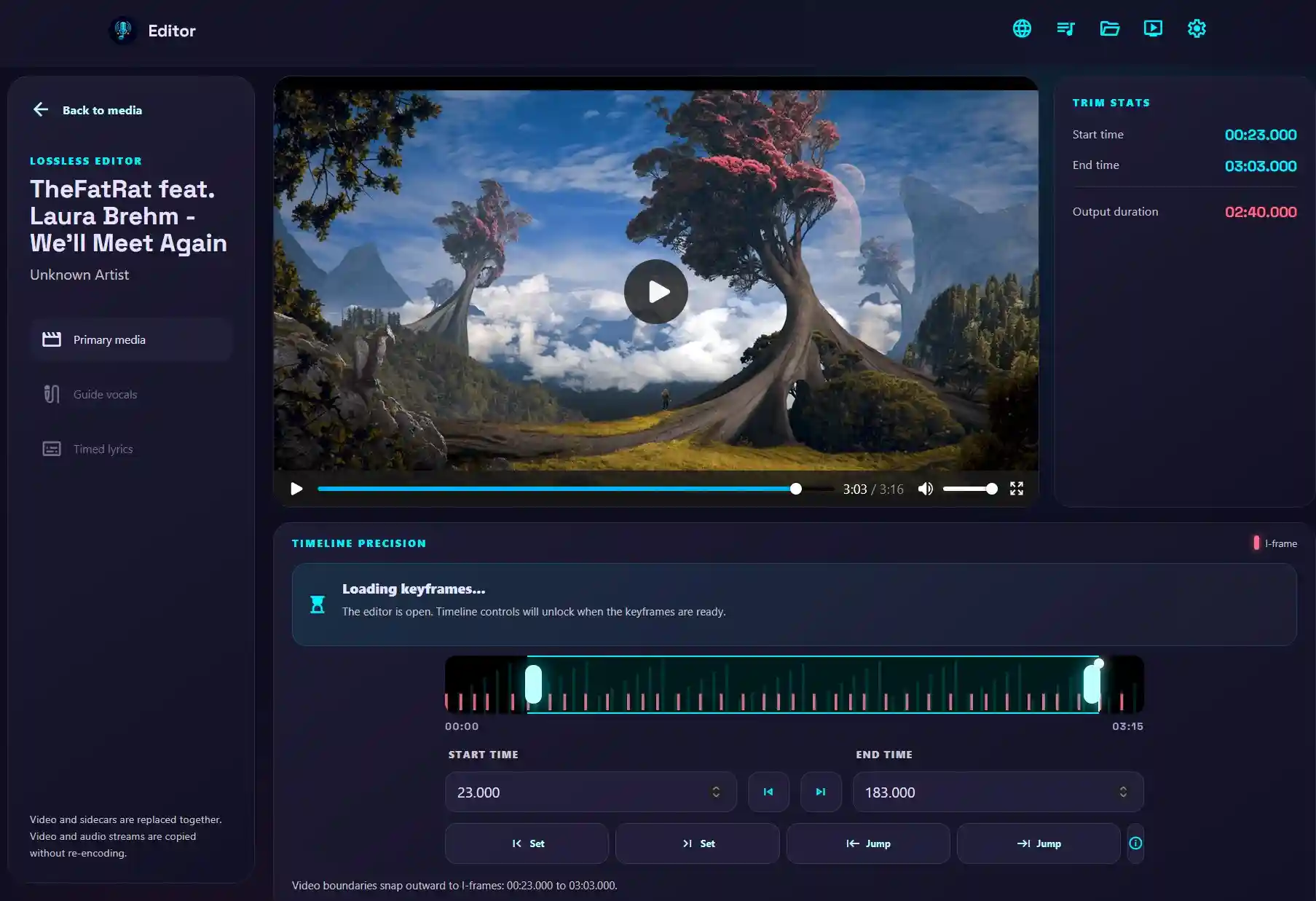
Some karaoke songs may have long intros, branding, or reminder outros. Music videos may also contain sections without music. For the best karaoke experience, use the Lossless Trimmer to remove these sections.
When you use the lossless trimmer, attached sidecars such as lyrics and vocals are automatically trimmed to match. The trimmer uses I-frames (keyframes) to trim video almost instantly without re-encoding or reducing quality.
Lyrics Editor
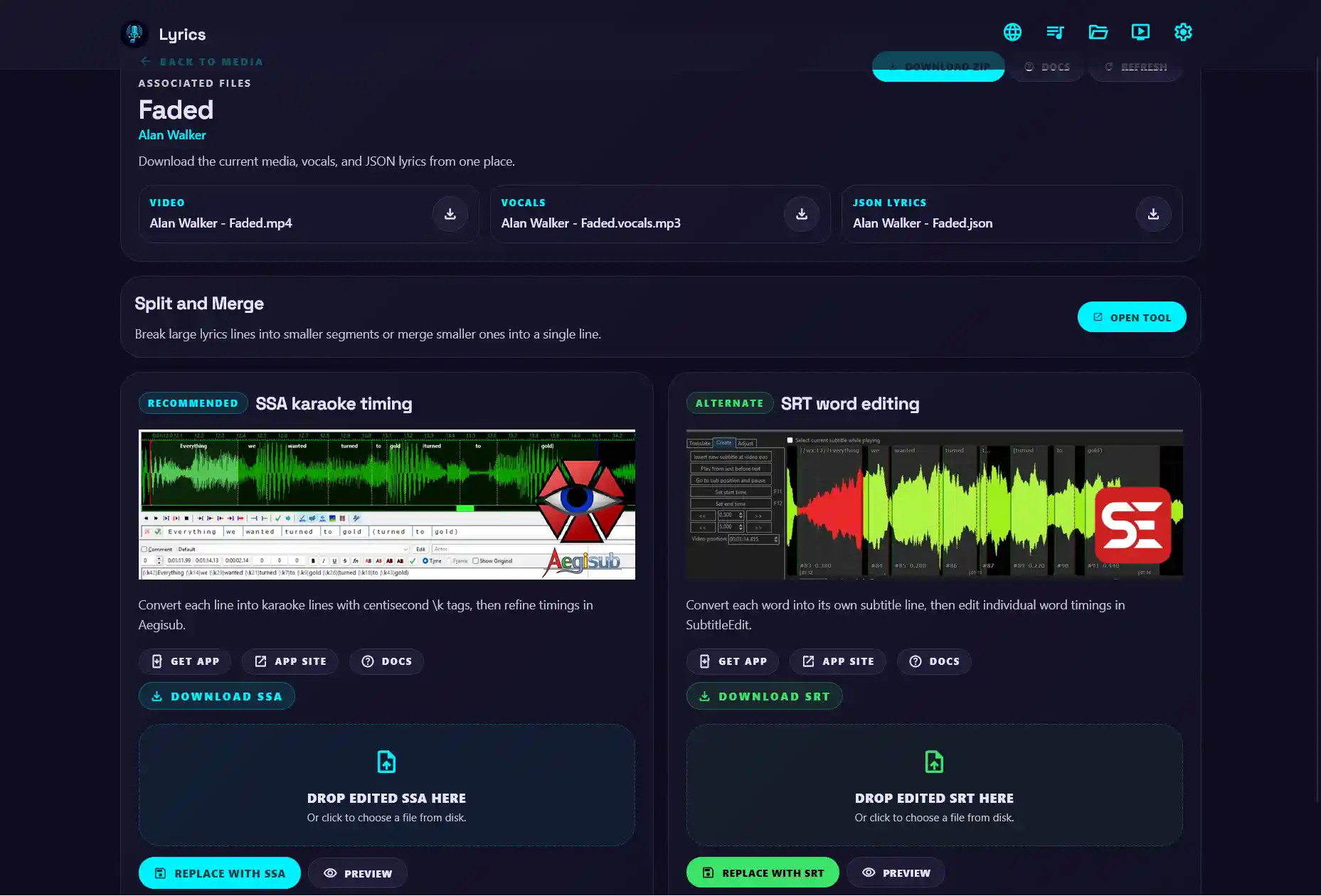
WhisperX output may not be perfect, and you may want to make minor adjustments to the lyrics. The Lyrics Editor converts WhisperX output into standard karaoke subtitle formats so you can adjust the timing with an external program. Two formats are supported: ASS and SRT.
-
ASS format
ASS supports karaoke timing. Each line is converted to standard timing with
\ktags and time codes.Edit ASS files with Aegisub.
-
SRT format
SRT is a widely used subtitle format. Each word is converted into a subtitle line.
Edit SRT files with Subtitle Edit.
Add Vocals
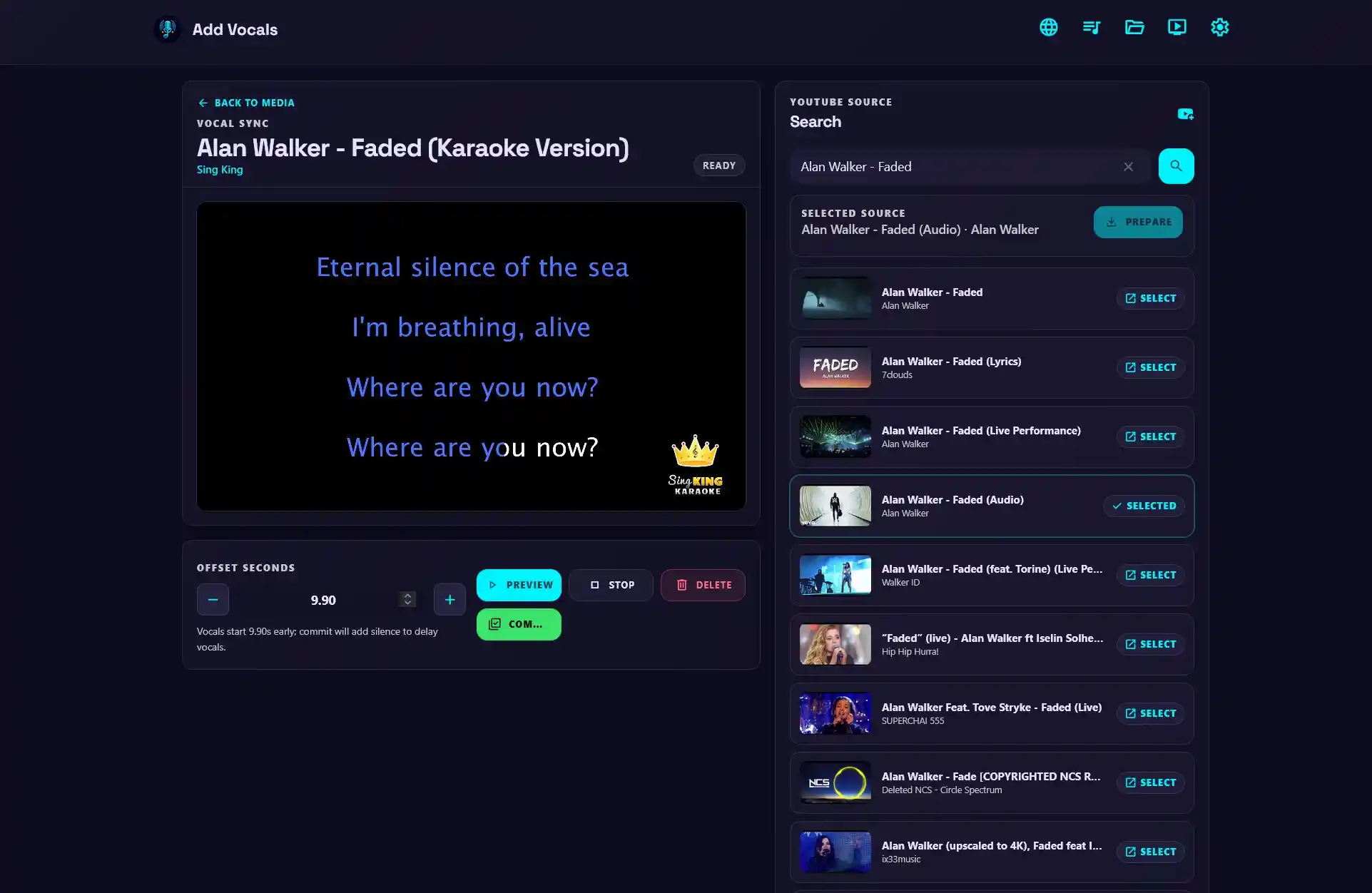
It may be useful to add backing vocals to a premade karaoke video for practice. The Add Vocals feature lets you search YouTube or upload a full song, then extract its vocals with Demucs.
With the supported vocal-sync extra installed, the extracted vocals can be synchronized automatically with the original karaoke video. See the Add vocals to a premade karaoke video section for the complete workflow. You can also adjust the vocal track timing manually to add or subtract a delay.