Stage
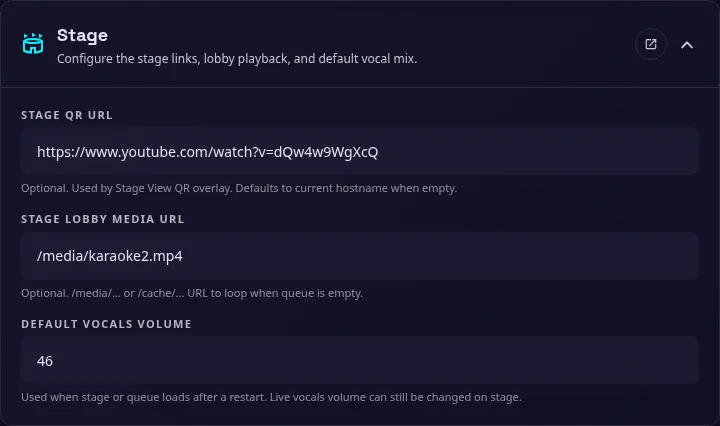
Use this section to configure the Stage View QR destination, the empty-queue lobby media, and the default vocals volume. These settings can also be configured with environment variables when a deployment needs fixed values.
Stage QR URL
The optional URL encoded in the QR overlay shown in Stage View. When this is empty, the application uses the current hostname to build the destination.
Stage Lobby Media URL
An optional media URL used for the lobby loop while the queue is empty. Use a /media/... URL, with the relative path to your media folder, such as /media/stage-lobby.mp4.
Default vocals volume
The vocals volume applied when the Stage or Queue page loads after a restart. Enter a percentage from 0 to 100. The live vocals volume can still be changed from the Stage page while it is running.
The equivalent STAGE_VOCALS_VOLUME_DEFAULT environment variable uses a decimal value from 0.0 to 1.0; for example, 0.46 represents 46%.