Tables
The table is wrapped around with
<table></table>To define a row, use tr while the table data is wrapped in each tr row as td
<table>
  <tr>
    <td style="text-align: left;">Row 1 Column 1</td>
    <td >Row 1 Column 2</td>
  </tr>
   <tr>
    <td> Row 2 Column 1</td>
    <td>Row 2 Column 2</td>
  </tr>
</table>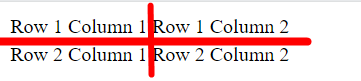
Table header uses th instead of td, the result is the row that contains the header is bolded
If each rows also need a header, use th for each corresponding row.
Styles can also be applied on table header/data.
The content of table data can be any html element including images
The table can only be styled with CSS
https://www.w3schools.com/html/html_table_borders.asp
table, th, td {  border: 1px solid black;
border-collapse: collapse;}- this adds a standard lines to the border
Padding Spacing
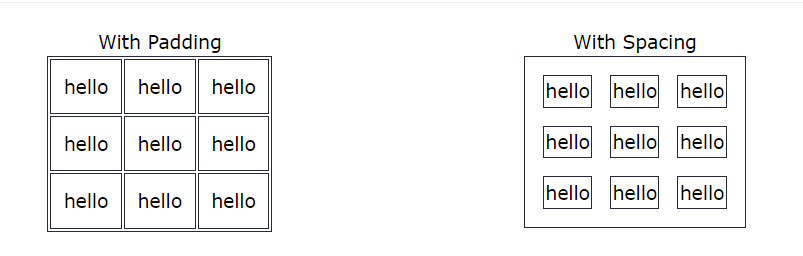
Padding is the space between the cell and the text in each cell, spacing the is space between each cell
Multi Row Column
HTML cells can span multiple rows or columns
<th rowspan="2" colspan="2">Cell</th>- uses
rowspanandcolspan
Tables also have style properties such as hover.