Install
winget install clsid2.mpc-hc CodecGuide.K-LiteCodecPack.MegaComparison of codec packs https://codecguide.com/klcp_contents_comparison.htm
LAV Audio/Video
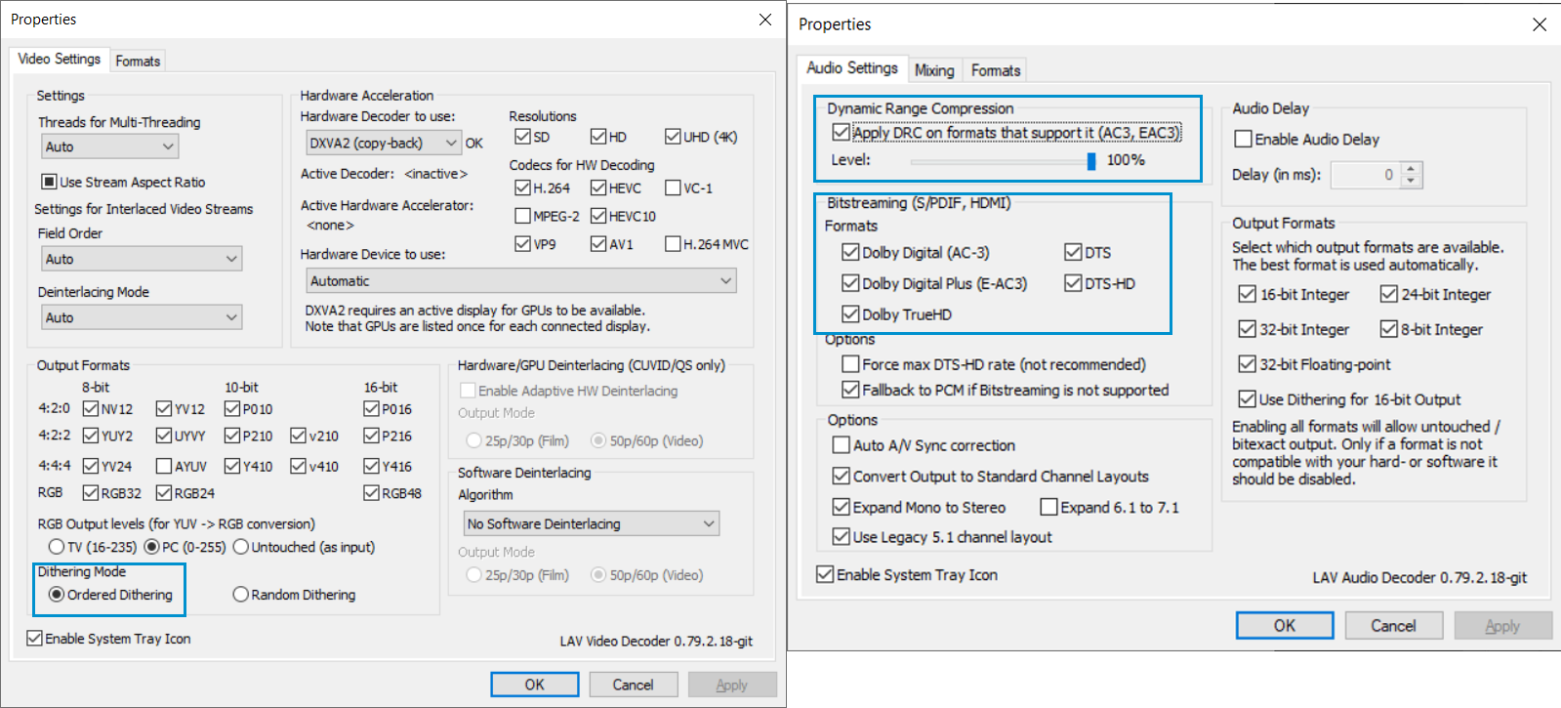
In Audio Settings and Bitstreaming, enable all the formats
Enable DRC on format that support it
Dithering Mode change to Ordered Dithering
MadVR
Basic Setup
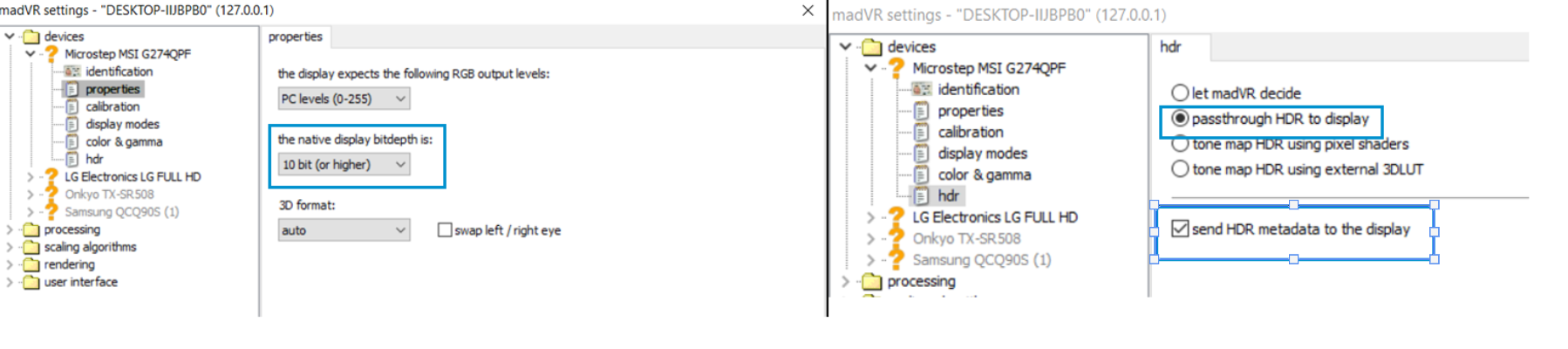
Properties: the native display bitdepth is → 10 bit or higher
HDR: passthrough and send metadata to display
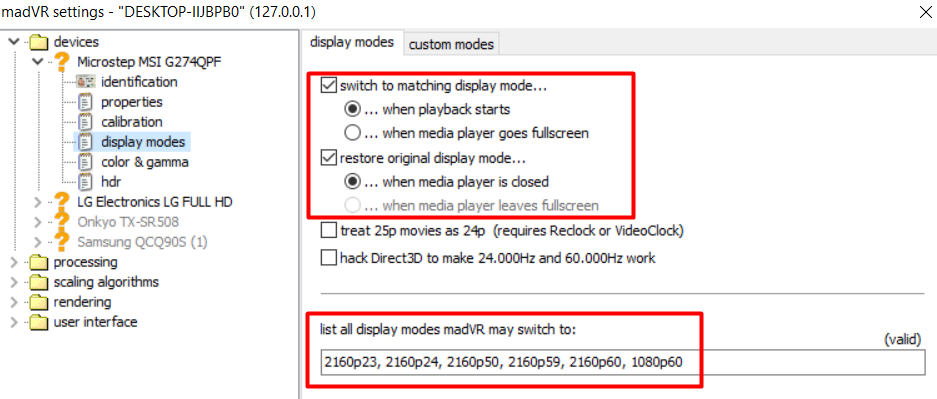
Display Mode: Switch to matching/restore and enter these values
2160p23, 2160p24, 2160p50, 2160p59, 2160p60
Advanced tuned for RTX 2070
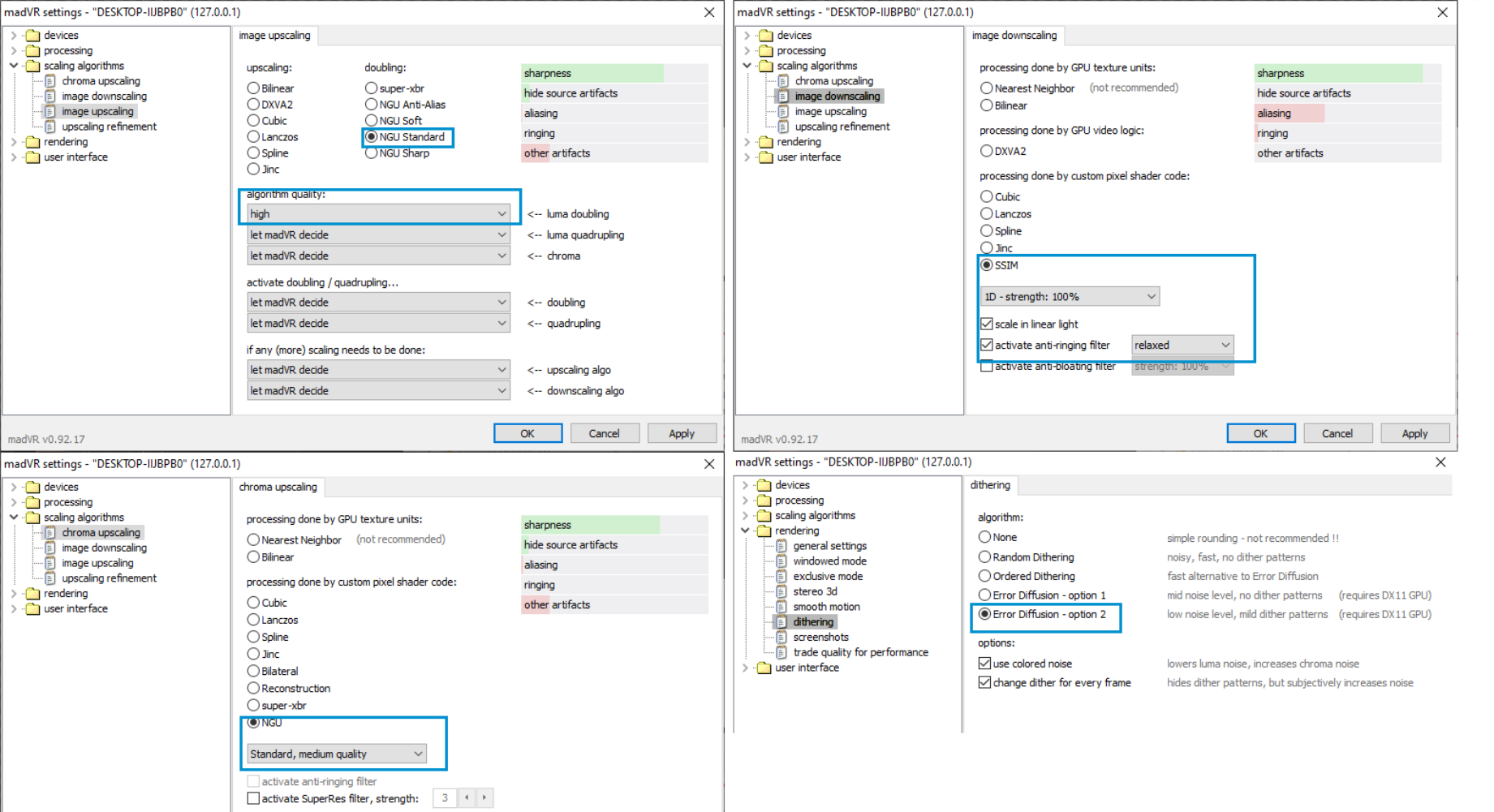
Scaling Algorithm
Image Upscaling: NGU Standard, Quality High
Image Downscaling: SSIM, 1D, scale in linear light, anti-ringing filter
Chroma upscaling: NGU Standard Med
Rendering → Dithering: Error Diffusion - option 2
MPC-HC
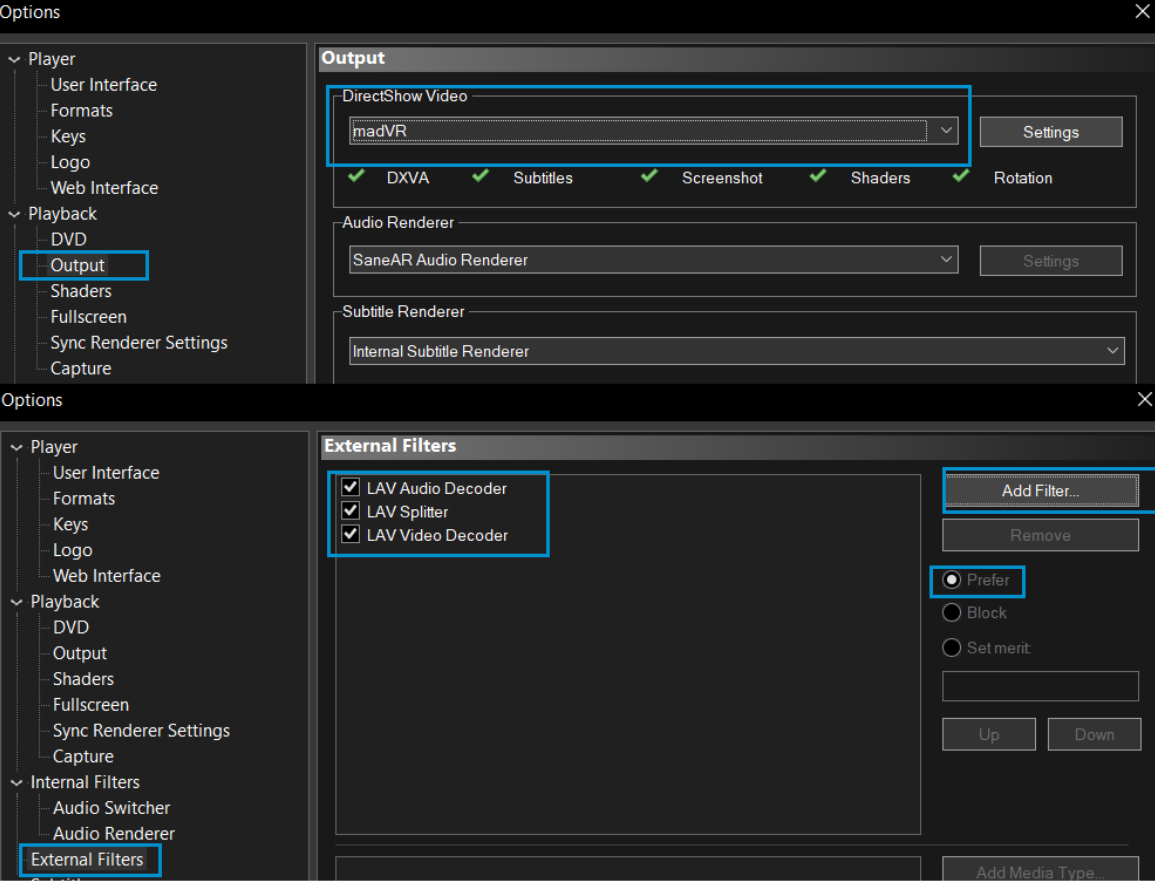
Playback → Output
Choose madVR or MPC Renderer
External Filters
Add Filters
- LAV Audio/Video Decoder/Splitter
- Set all to prefer
Player
Remember File position(works with both HC and BE)
MPC-BE
winget install mpc-be.mpc-be
Options → Video → Choose MPC Video Renderer
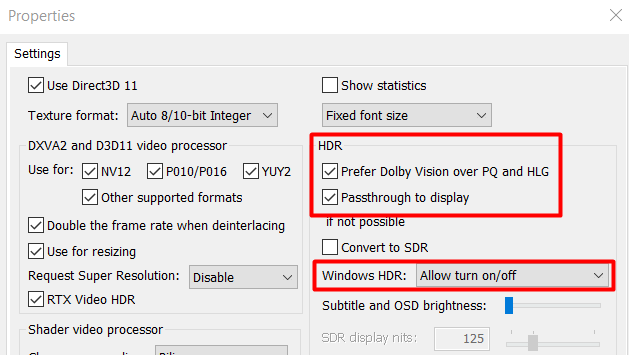
Options → Internal Filters → Audio Decoders → Configuration
- turn on
DRCand check bitstreaming format as well asEncode to AC-3
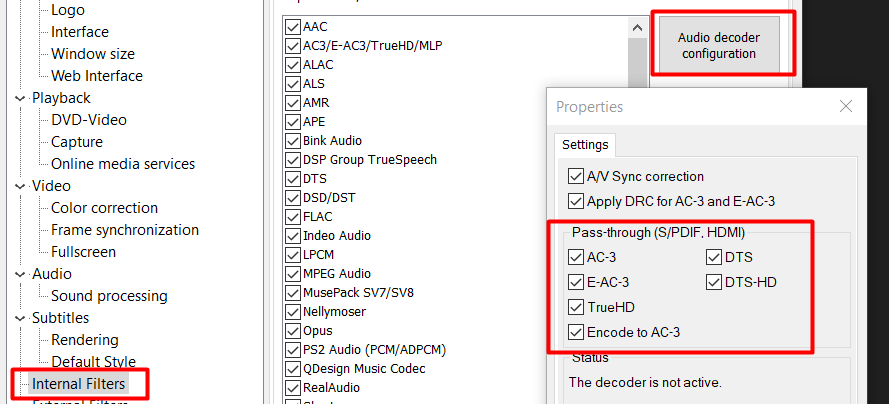
- this allows encoding of AAC sound or other unsupported surround sounds format to bitstream by encoding it to AC-3