Demucs Karaoke App - Vibe Coded AI Karaoke Now in Production
Published: April 01, 2026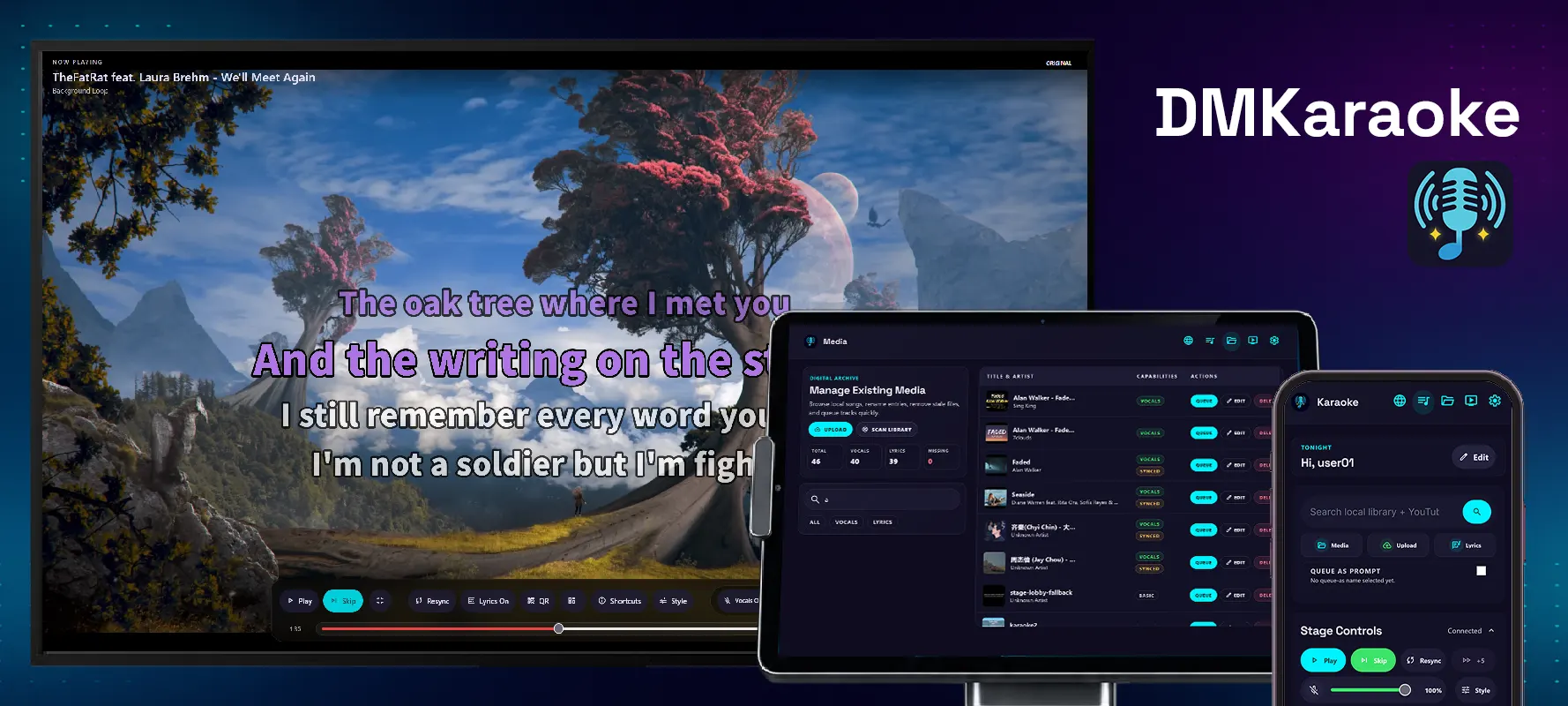
This post discusses more of the development tech stack and my side quest. Because vibe coding is more than sending one-shot prompts to an AI, if you want to build something actually useful.
Introduction
Sometime in 2023, my friends set up a home karaoke system. One of them purchased an Android karaoke machine that allowed users to download songs from a large library. Except he paid C$600 for it. Not 600 Chinese yuan, 600 Canadian dollars. For an Android tablet that probably cost less than a hundred.
Around the same time, I discovered Demucs, a machine-learning tool capable of separating vocals and instrumentals. Then WhisperX, which generates word-level transcriptions. These technologies had potential for karaoke. I wanted to build my own system.
Of course, wanting to build something and actually building it are two different things.
My initial proof of concept consisted of manually combining Demucs and ffmpeg commands to separate vocals and burn subtitles into videos. The process worked, but it was tedious and error-prone.
Judging from my previous projects and my passion for hardware and server infrastructure, full-stack development, especially projects of this calibre, wasn't exactly feasible, so it went to the backlog, indefinitely.
Until my Co-op job search in Spring 2026, I came across a posting for an AI vibe coding position. Agentic AI is popular and real. I wanted something substantial yet doable that I can show for it. Not just making some generic full-stack todo app either. The karaoke app isn't unreasonable anymore, plus the ML libraries Demucs, WhisperX can be framed as an "AI karaoke" app.
PS: putting this project in my resume did land me the interview, though I declined the offer since I already got another.
"Development Environment"
Project organization and the iteration loop, along with reducing the friction of sending prompts, call for a proper development environment.
My commute to BCIT took approximately 1.5 hours each way, so 3 hours every school day. Surely, there had to be something more productive I could do than watching tech videos. I already had a homelab, so why not a development server?
Using my laptop is the practical option, but seats on the SkyTrain were never guaranteed. Using a laptop while standing on a crowded train at Commercial-Broadway, sometimes with groceries in one hand, simply wasn't realistic.
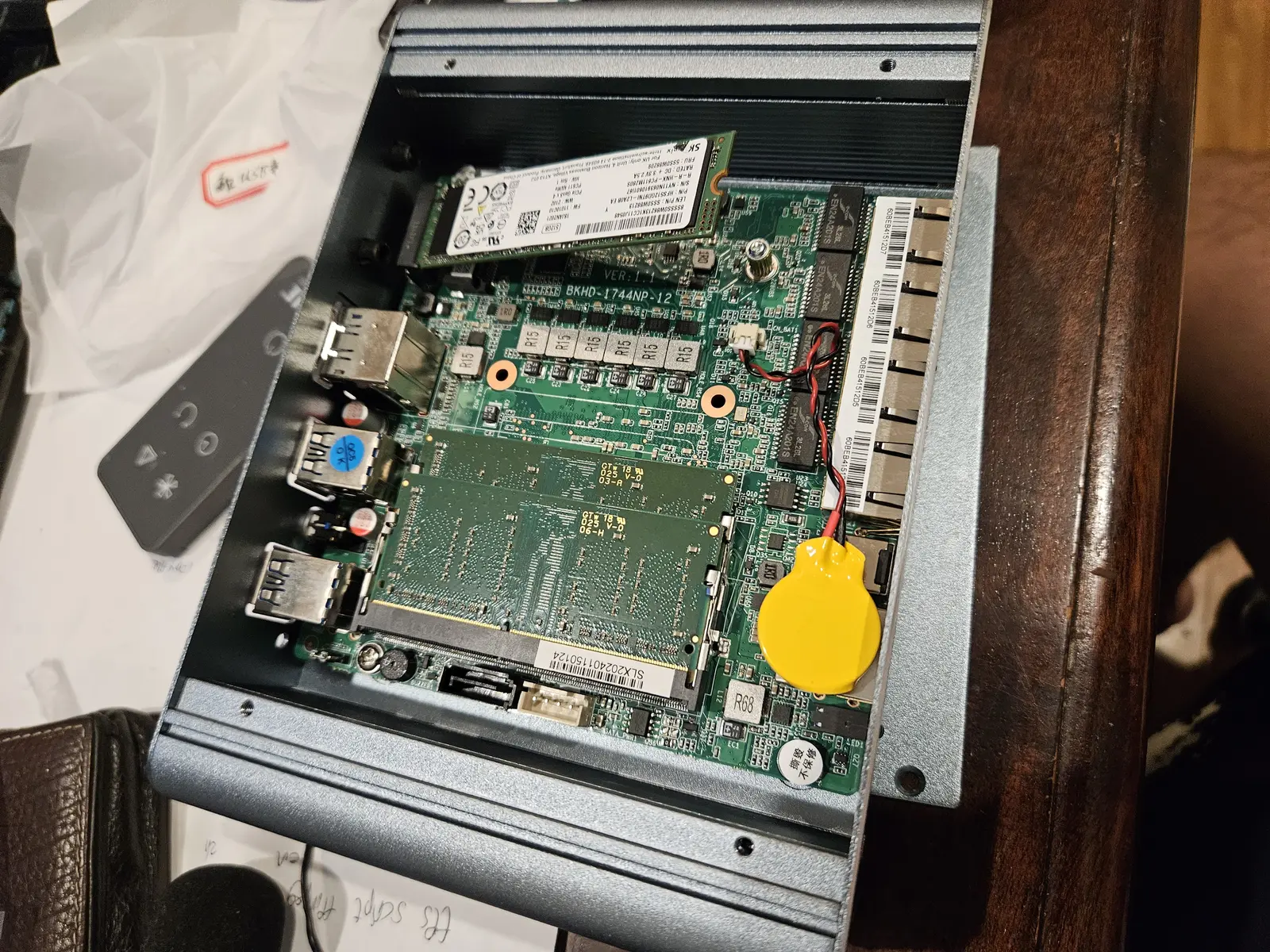
Coding from my phone was the only practical option. I had a mini PC that I intended to make into an AIO server. I never started, so the hardware is available for agentic AI.
Base Infrastructure
I used Proxmox on the mini PC to create an isolated Ubuntu VM, devbox. This gave me the flexibility to run whatever I want without breaking my homelab.
Most new agentic coding tools have a CLI, which made my life so much easier; I didn’t need a remote desktop with a GUI; a terminal over SSH was enough.
tmux came in handy; I could have multiple terminal sessions, windows and panes to manage my agents, shell and processes.
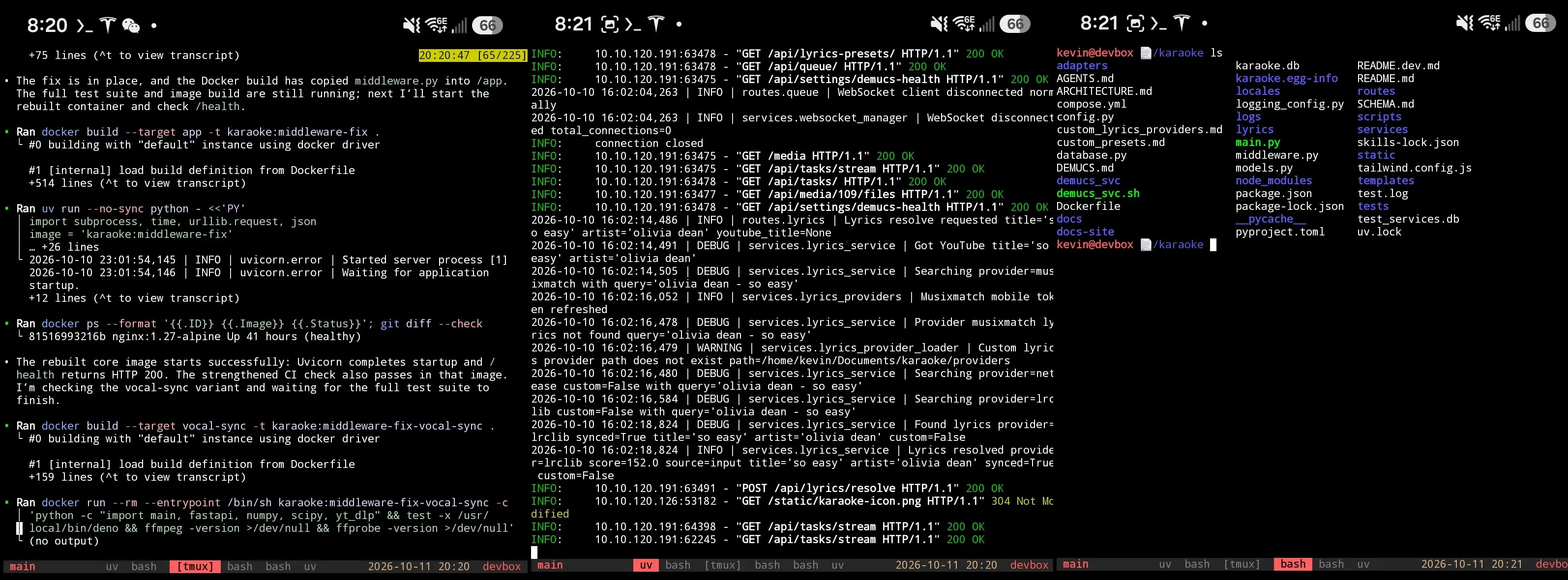
The biggest advantage was persistence. I could disconnect and reconnect from the server without terminating the running processes; my agents continue working even if I'm not connected.
SSH vs Mosh
The problem is SSH; it’s not designed to handle network interruptions. Simply closing your laptop lid:
client_loop: send disconnect: Connection reset
When I used ConnectBot, I've lost count of the times when I had to restart an rsync transfer because I walked 5 meters in a park. tmux only partially fixes that.
I still had to manually reconnect the session on my phone, either using the up arrow and Enter key or typing the command again. Repeated SSH connections whenever I go near Holdom is not the workflow I want for continuity.
Mosh solves the problem; it’s designed to tolerate intermittent connectivity and network changes. The effectiveness cannot be understated. The comparison shows turning off my home Wi-Fi then shortly afterward connecting through Tailscale.
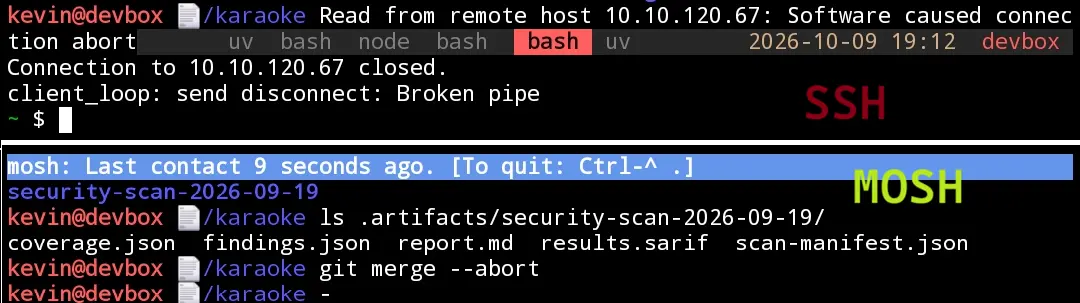
SSH instantly dies; Mosh reconnects immediately. this was exactly the reliability I wanted, no, needed to survive Holdom.
tmux keeps the agent happy, mosh keeps the user happy.
Transport Layer
I wanted the network transport to remain independent of the development tools and applications running on devbox. The terminal client only needed network reachability to the server via IP and port.
I chose Tailscale, an easy-to-use mesh solution which I already used for my homelab.
However, I didn't want my development to cease because some organization imposed strict firewall policies. The flexibility let me swap the transport with VLESS or AmneziaWG, prompting over the terminal and testing resumes without a hitch.
Once connected, the tools, sessions, and workflow would remain the same.
Application Layer
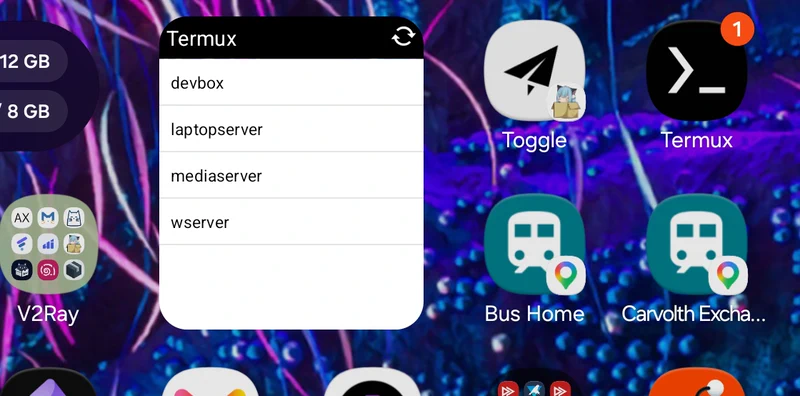
I used Termux to connect to devbox. It's inconvenient to type the connection command, but Termux supports ~/.shortcuts which adds the entries on my home screen.
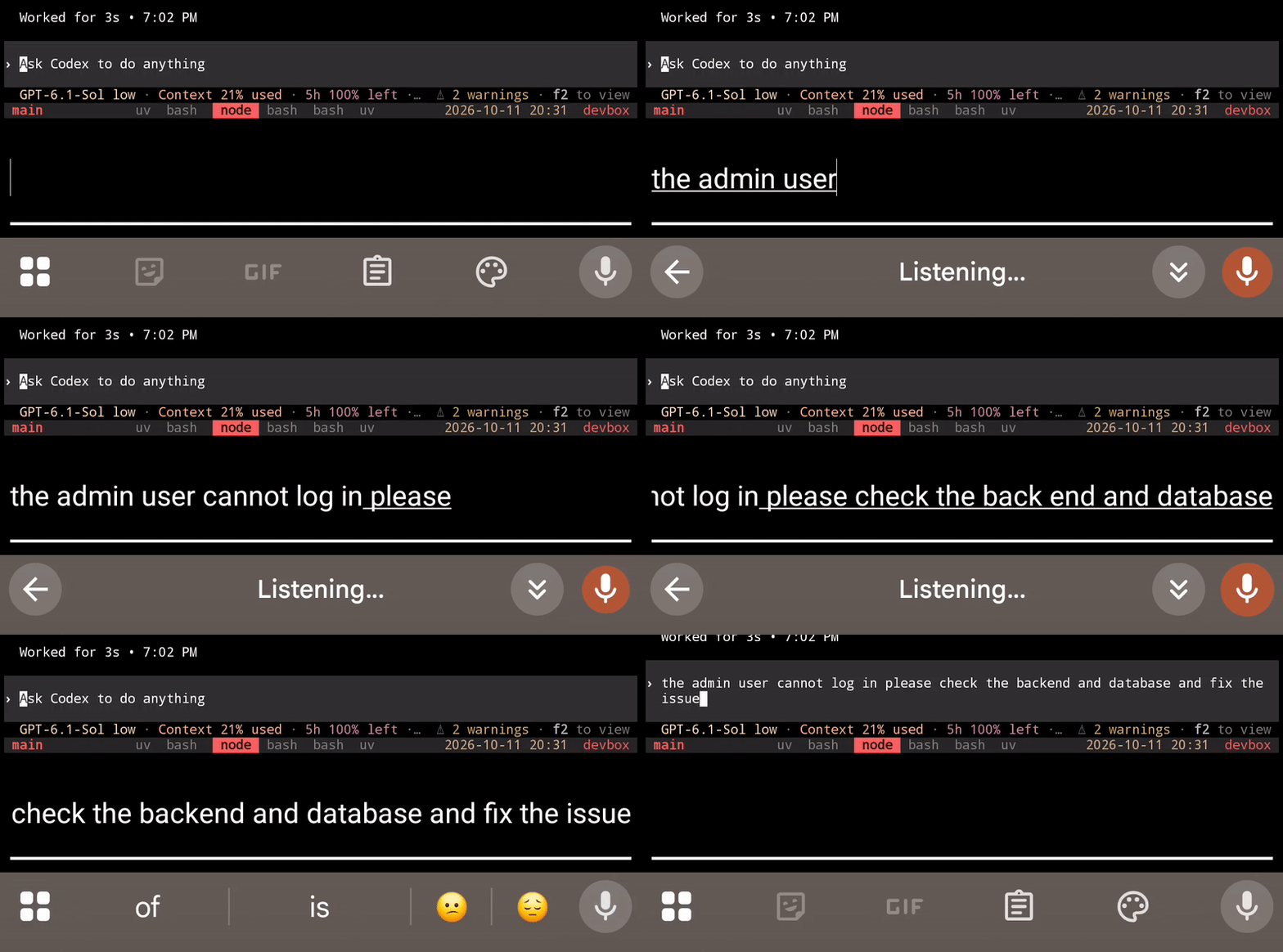
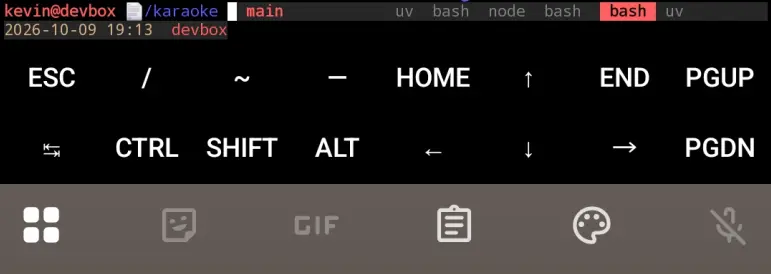
I also customized the Termux extra keys to make terminal navigation easier. One useful feature was the text input mode, which provided a normal Android text field where I could use my phone's regular autocorrect, word suggestions, and even voice typing to write prompts.
The text field was a game-changer. Voice input felt like cheating. Was this what modern software development had become?
For coding, I opted for GitHub Copilot initially, since I qualify for the free student plan.
But before any prompting, I learned about skills, AGENTS.md, MCPs and their benefits. I also built a generic Flask/React todo app to experiment with how the prompting, reviewing and fixing iteration loop worked.
Conception
"Build me an AI karaoke app" isn't enough.
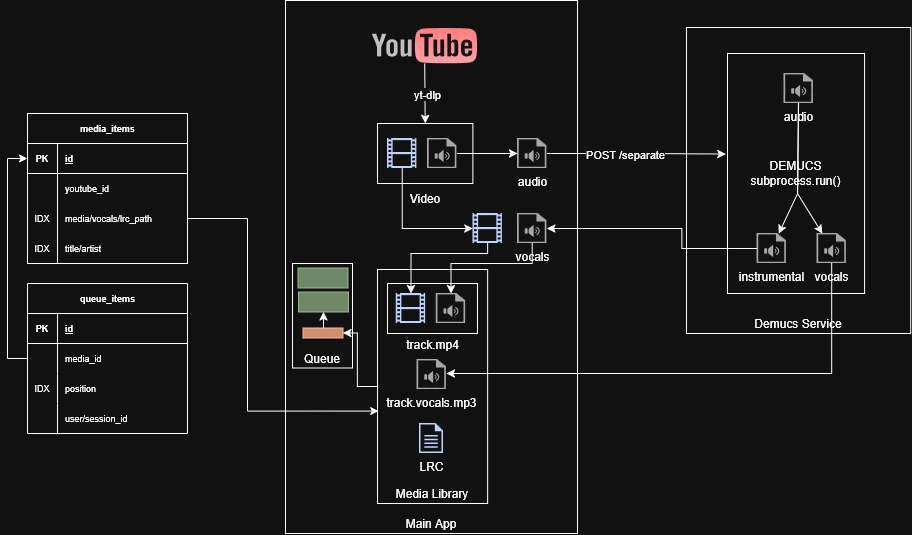
I started architecting the app. I wanted a microservice from the start, separating the lightweight karaoke management from the expensive GPU ML processing. The main application handles downloads, media management, playback, and queues. Meanwhile, the separate Demucs/WhisperX service would handle intensive karaoke processing, using my Windows desktop with an RTX 4070 Super. But even without it, the main app remains a functional karaoke player.
Built in 2 days
I had 2 days to submit my Co-op application. Rather than inventing features I never did, I wanted a prototype that I could genuinely talk about.
I used the basic approach I experimented in 2022, use Demucs to separate the vocals and ffmpeg to -vf "subtitles=lyrics.srt" to burn the lyrics into the video. I deliberately left WhisperX and advanced lyrics out of the scope, focusing on Demucs separation and a basic karaoke queue.
I already had a clear understanding of the database, service architecture, and deployment requirements from earlier experiences. I made the plan myself, then used ChatGPT to refine it into structured prompts for the coding agent. It proposed FastAPI, Jinja, and Tailwind which were familiar enough for me to work with.
Design
At the same time, I discovered Google Stitch which I wanted to try. AI design was a problem; I didn’t want my app to feel like ChatGPT slop, with the same layout, colors and components.
Google Stitch produced designs I liked, and its MCP integration allowed my coding agents to retrieve the designs and assets directly. I also experimented with the Impeccable skill to improve design decisions and refine the interface.
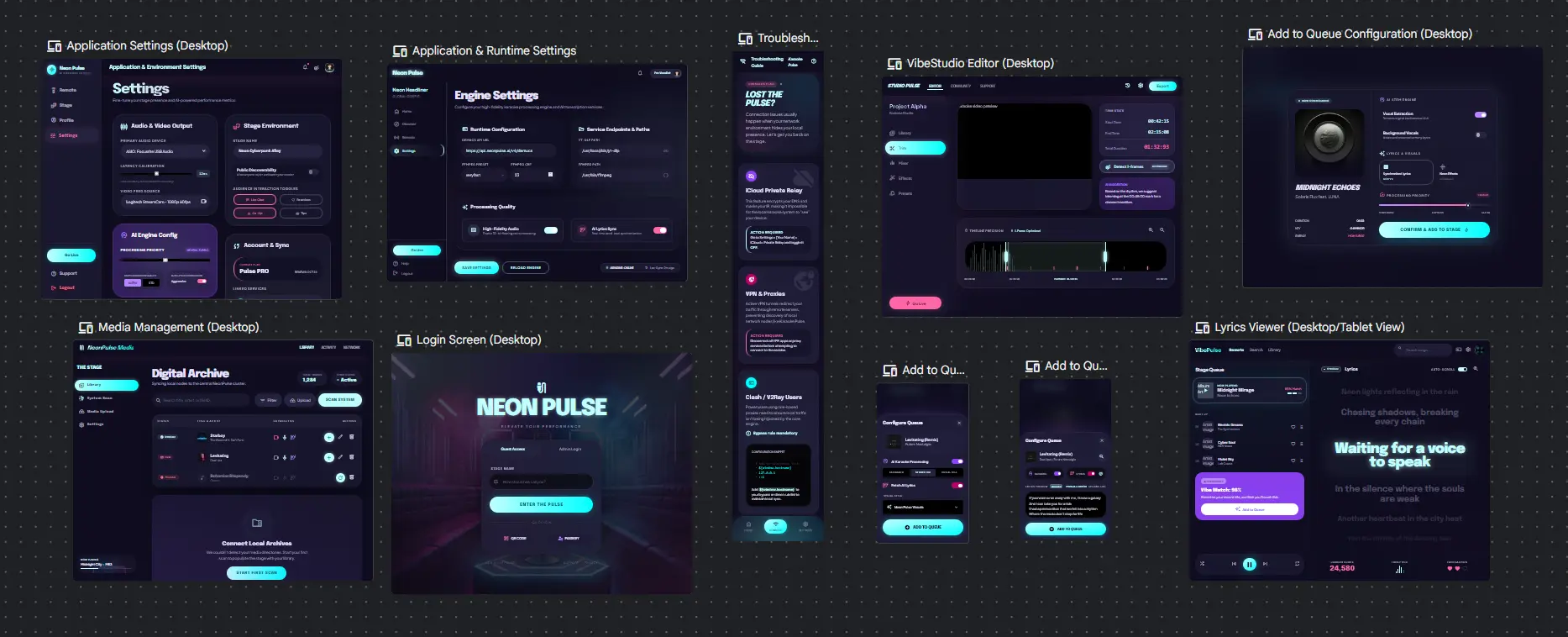
By this point, I'd spent a considerable amount of time planning, infra setup, learning agentic tools, and designing the UI. And I still hadn't generated a single line of code.
The infrastructure, planning and workflow surrounding AI is often overlooked in typical vibe coding demos.
MVP
Behold, the first commit.
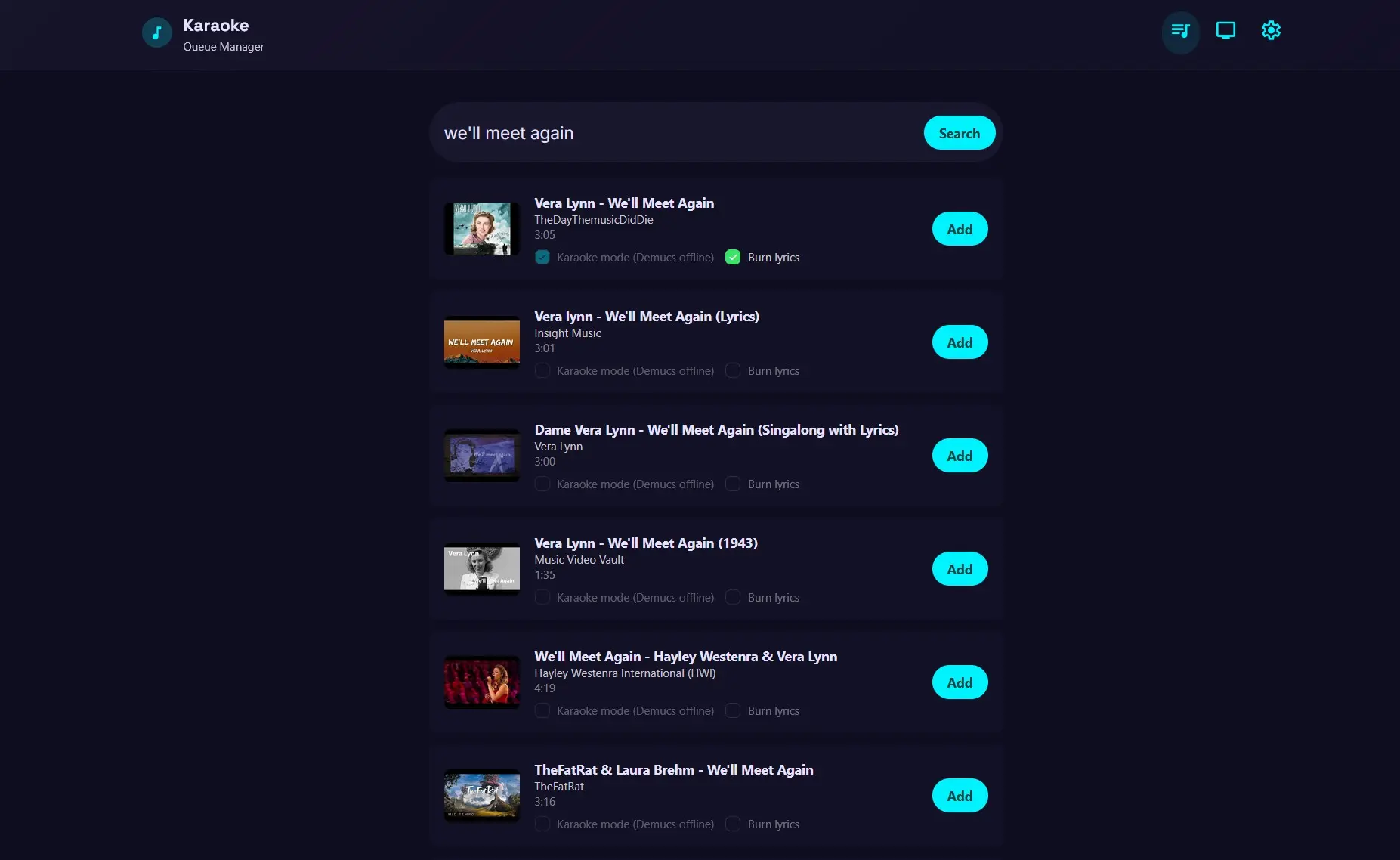
The preparation with Google Stitch had paid off. The agent had a clear visual reference, and the interface remained consistent with what I originally wanted throughout the entire development cycle instead of drifting into unrelated designs.
The MVP worked. While it lacked input validation where a checkbox was still clickable despite Demucs being offline, it had a working queue, video downloading and a video player in /playback.
The Demucs service worked too; I successfully generated a video with its vocals separated. Within a day, the karaoke process was night and day compared to my original combination of Demucs and ffmpeg commands in 2022.
Development Began
I want to build something I'd use, not just to show others. The development continued.
Every day, on my way to and from school. Whether I was sitting on a bus, standing on the SkyTrain, or carrying groceries, I could send prompts to the agent with one hand. I regret not discovering vibe coding earlier; instead of mindlessly scrolling through my phone; I had something productive.
Developing entirely on Android had its limitations. The small screen, mobile browser, and lack of traditional development tools sometimes made even simple tasks difficult.
But I kept going anyway.
Early Improvements
cb676f7 added the media library page. Later commits added editing and queueing and deletion.
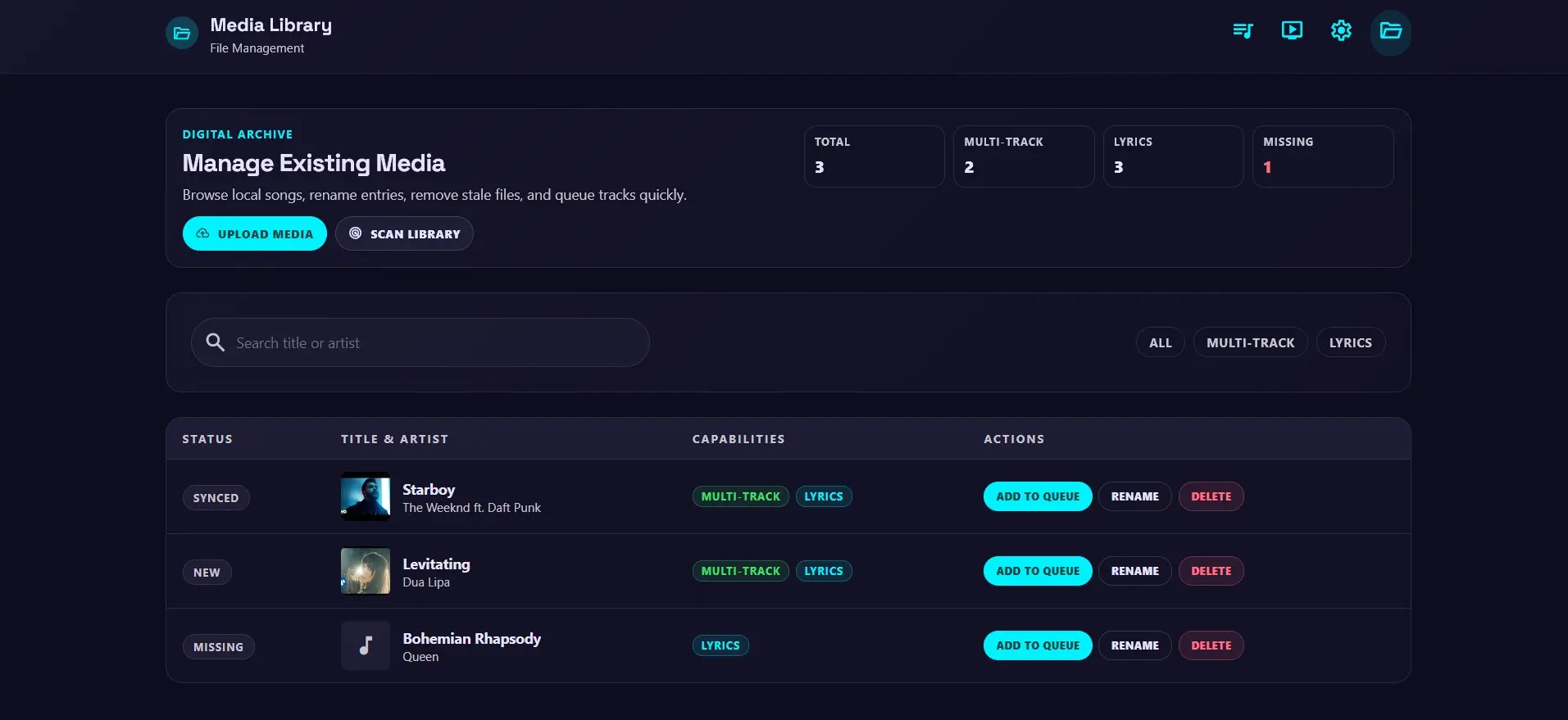
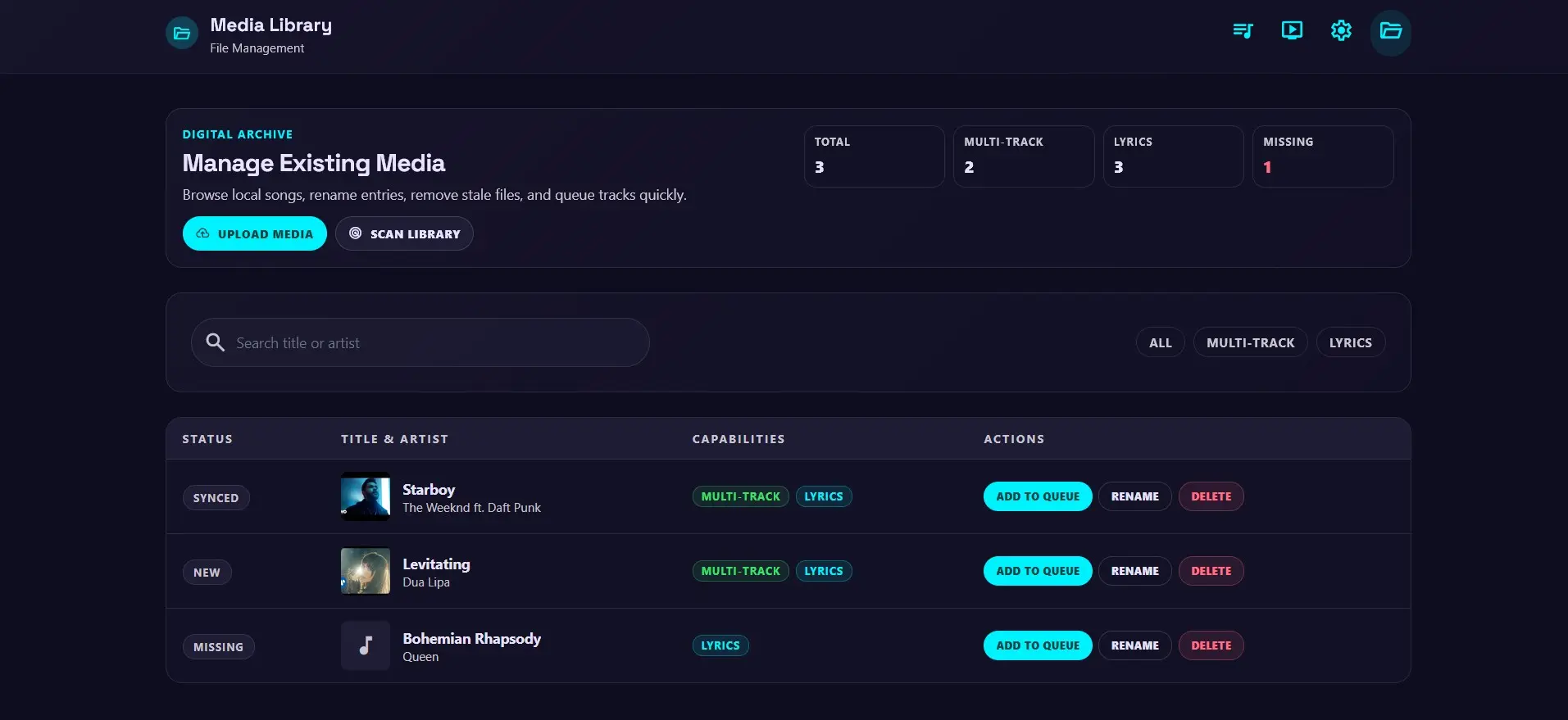
The stage improved too, adding QR codes, live websocket control and simultaneous playback of instrumental and vocal tracks.
That distinguishes DMKaraoke from conventional karaoke. Using browser audio APIs, the application could play both instrumental and vocal tracks, allowing users to toggle the original vocals on or off, which is useful for practising songs.
I18n and Access Control
On May 3, 2026, b74e9a4 brought multilingual support, while 2863cb8 restricted administrative actions to admins.
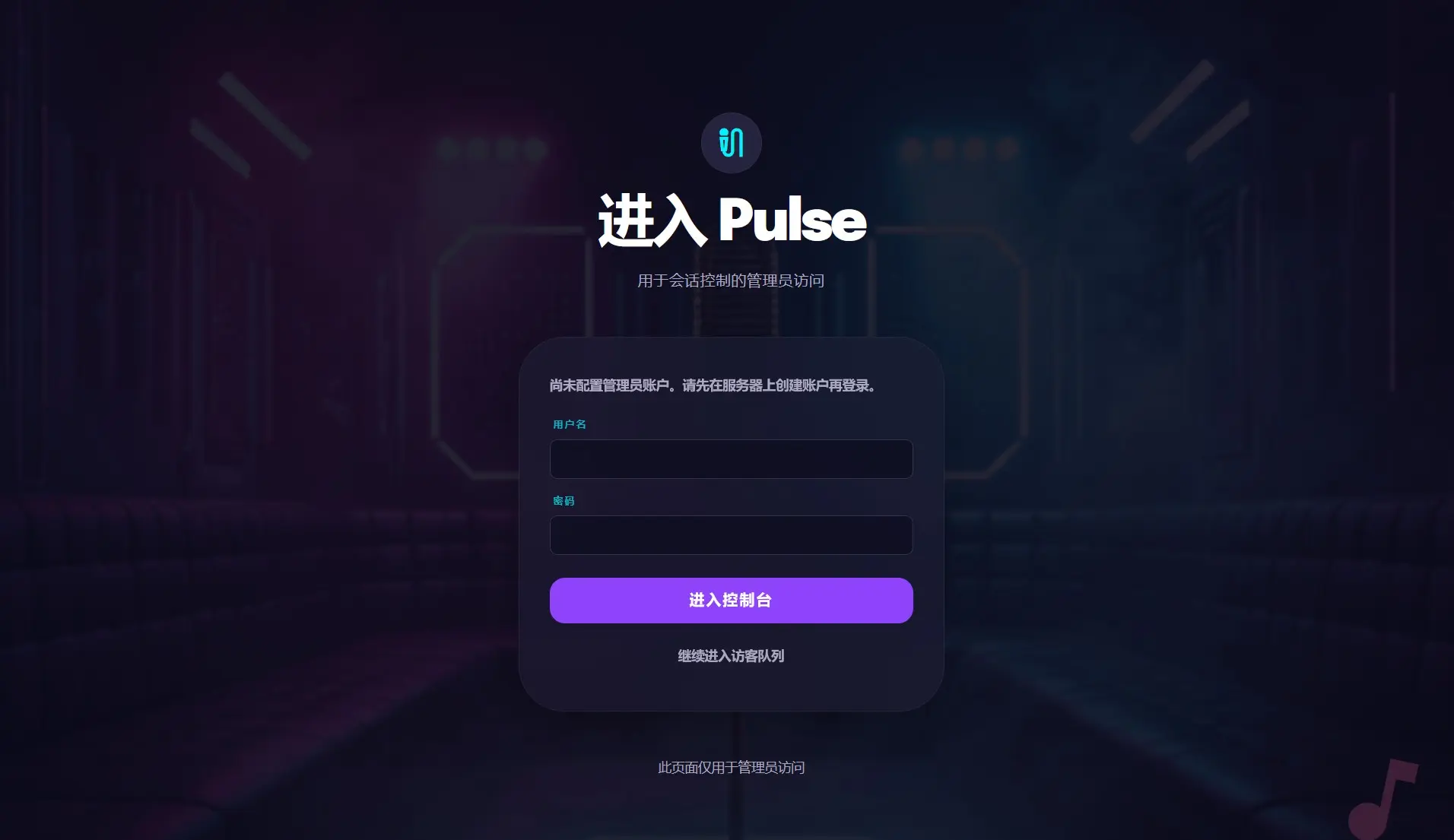
As with my other development projects, I prioritized internationalization early since my parents would also use the app.
The translations were handled on the frontend using JSON locale files. The translation keys were referenced through t(key). This also made future agentic development easier: when adding new strings, the agent could update the locale files alongside the application code.
I also introduced login functionality and role-based access, separating administrative tasks from what regular guests could do.
The application was becoming much more capable, but the limitations of my development environment were starting to show.
The Desktop Problem
A PC and keyboard/mouse were inevitable for some tasks, but I don't have those on the SkyTrain. This became a significant blocker.
For Google Stitch, the mobile UI is a chat window, without access to the canvas or refining existing designs. I tried NoMachine, Microsoft RDP, all of which have compromises. Even with touch oriented controls over remote desktop, some tasks in Google Stitch are simply impossible.
Neglected Desktop UI
I don't have a computer on my commute, nor can I operate one with one hand standing. Phone browser desktop mode is NOT desktop viewport.
As a result, the desktop interface was neglected. For a while, many pages were essentially stretched versions of the mobile layout without any responsive design. When I make a frontend change, I can only evaluate how it looked on my phone.
The Solution?
The solution to the desktop problem was simple.
Use a computer.
Sad. I know.
Fortunately, my circumstances changed in May when I started a Co-op job working mostly remote. Unlike BCIT's mandatory in-person attendance, I no longer needed to spend 3 hours commuting every day. That freed up a substantial amount of time. Right after work, I'd close my VS Code on my work computer only to open VS Code on my home computer to remote into devbox.
With a proper monitor and browser, I redesigned the queue page with responsive layouts, including two-column arrangements that made better use of desktop screen space. The difference was night and day.
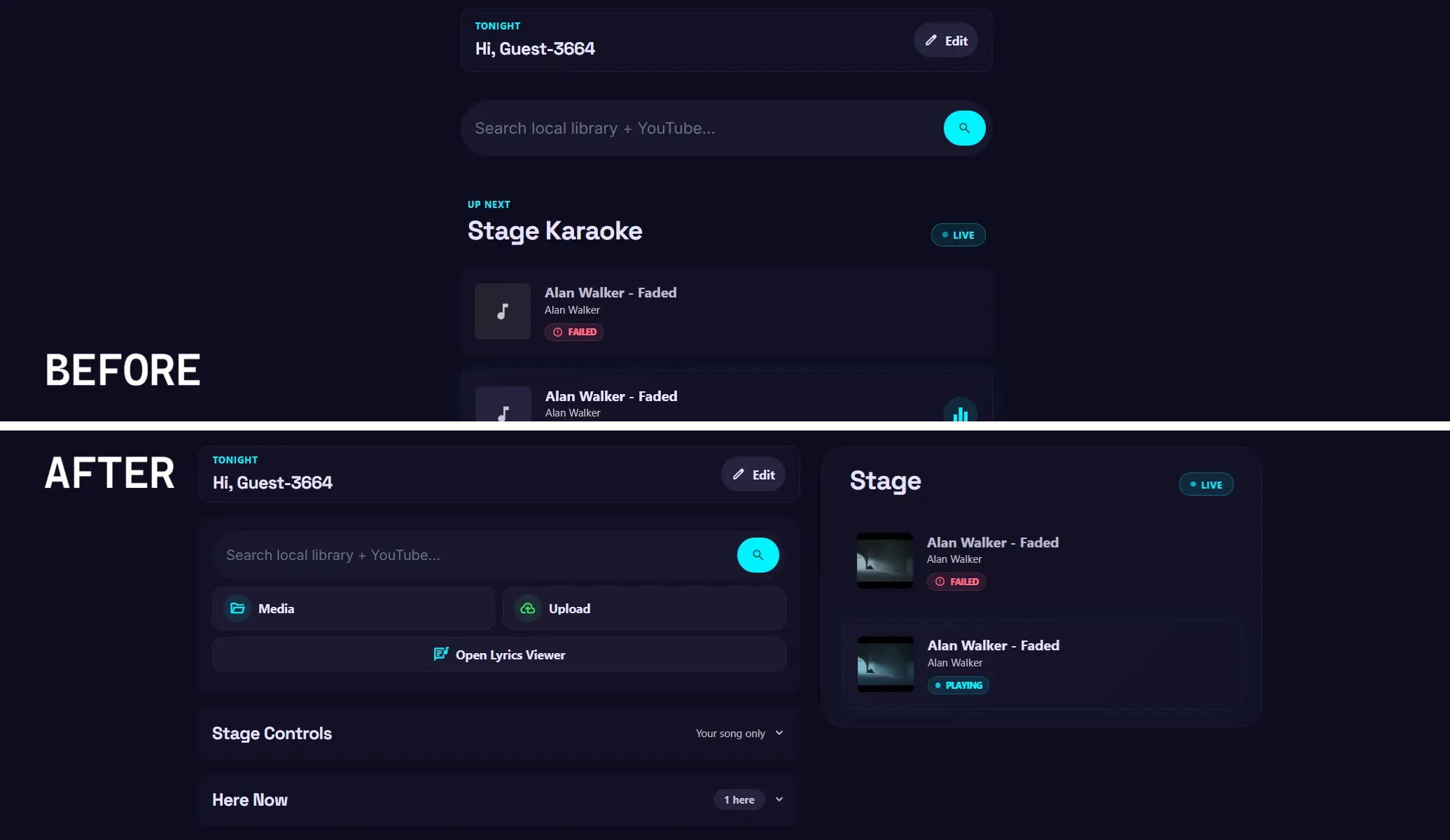
I also installed RustDesk on devbox. Previously, unattended access doesn't work under Wayland, but after switching to X11, RustDesk worked well enough for inspecting desktop UI on my phone.
Having a proper desktop development environment also meant I could:
- Inspect and make small code changes in VS Code instead of prompting an agent only to change the padding.
- Review Git changes, stage files, and write commit messages without typos with a proper keyboard.
- Use browser DevTools to inspect elements, capture console errors, and debug frontend issues.
Instead of describing a visual problem vaguely, I could inspect the actual HTML and CSS, identify the relevant class or error, and provide the agent with precise information.
Who would've thought? AI can fix issues faster and more accurately when given the right context.
Project Board - a side quest
Having a desktop sped up development on the desktop, but not on my phone.
There were still several pain points:
- Long prompts were tedious to type
- Code diff in a mobile terminal wasn't convenient (I actually read the code AI wrote)
- Git operations remained repetitive, despite
gs,gb,gd,gc,gpushortcuts - Finding, reading and editing files through the terminal was awkward
- Upload screenshots through Android to devbox was a pain
In agile, things change; I want to add new features without forgetting, scopes can change too.
Initially, I used CollabMD, a collaborative markdown editor, with a TASKS.md inside the project folder itself.
Every task update was tracked by Git, cluttering the repo history with unrelated changes. A markdown checklist also wasn't suitable for storing detailed prompts, screenshots and references.
Meanwhile, navigating nested files through cat or vim was cumbersome. Uploading screenshots through scp meant entering a filepath in Android storage and remote endpoint. I could build shell scripts or even an Android app to handle file sharing, but neither seemed like a solution.
At my Co-op job, I had been using YouTrack, whose ticketing and agile board features felt intuitive.
I wanted something similar, but integrated directly into my development environment.
The Project Board
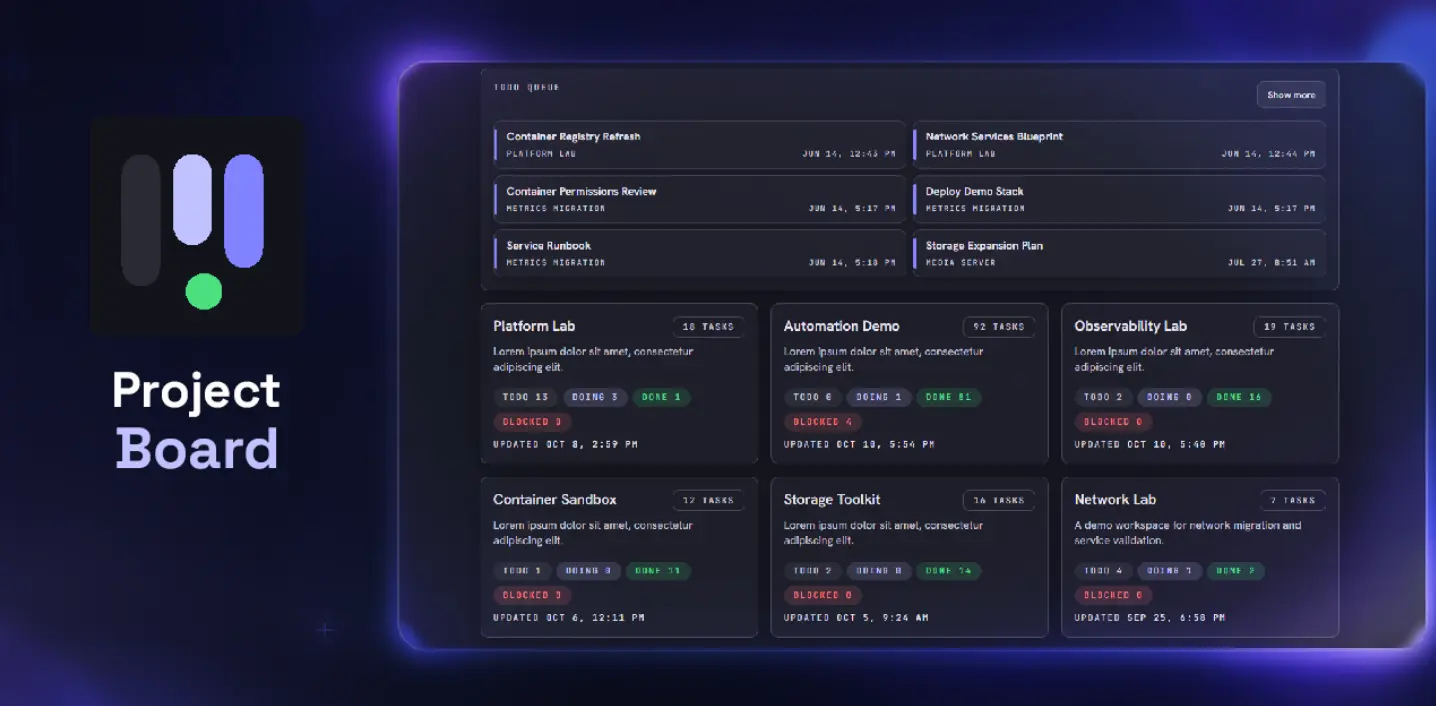
Yes, I did vibe-code a project so I can vibe-code my project faster.
The app is first and foremost a kanban board, with "Todo", "Doing", "Done" columns. Each task is a card with a title, description and checklists and can be moved between columns.
But the real value came from integrating the board with the development workspace.
- Git: view the git status, branch, diff, commit, merge and push
- Filesystem: browse and edit files in the workspace
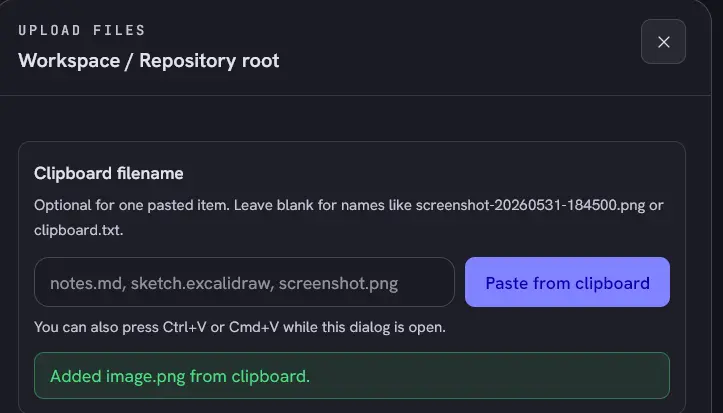
- Upload: upload text, images and files into a folder, directly from clipboard
I also added SSO integration for my existing Authelia setup, along with a whitelisted REST API and MCP endpoint for agentic automation.
Project Workflow
Project Board fundamentally changed how I develop.
Instead of maintaining TASKS.md, I created cards for individual features, bugs, and improvements. Each card could contain detailed requirements, references, screenshots, and checklists. I added a copy button to each checklist item which I use to store AI prompts.
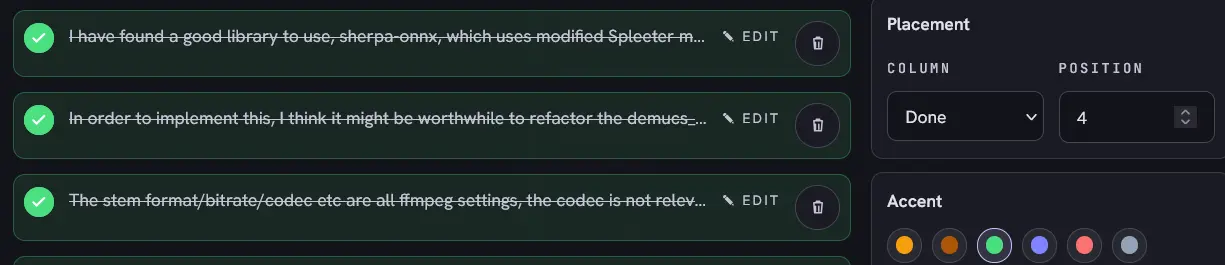
If I'm stuck in traffic on a bus or a task is not feasible on my phone, I just switch to writing prompts for other tasks. I could write them on my desktop too. Multi-device synchronization wasn’t something I made, but simply a benefit of the client-server architecture. When the time is ready, prompting is a simple copy-paste away.
When I need to send a screenshot, I open the workspace and upload or paste the image directly from my clipboard. The coding agent can reference that image to fix or implement tasks.
Git operations became convenient. Instead of gaa, gc ", I inspect the diff, stage files, enter a commit message and click "Commit", even merge feature branches. All within the same web interface.
Assistant Notification
Another issue is not knowing when the agent is done. When I do other things on my phone, I occasionally had to check whether the agent is done. Codex has notify configuration in ~/.codex/config.toml. I added a Python script that sends a webhook to my Home Assistant server to send a notification.
The process is event-driven: when the agent is done, it tells me, and I can watch my video with ease while sending a prompt away.
Project Board and the notification significantly accelerated development as I adapted to the constraints on a phone and commutes.
WhisperX
WhisperX can transcribe audio and generate word-level timestamps, supporting models from tiny to large, trading performance for accuracy.
My original idea was to use WhisperX to transcribe the vocals extracted by Demucs, then match its words against the original lyrics. The LRC lyrics would provide a reference, while WhisperX would supply the individual word timings. Simple, right?
I also wanted the application to be accessible to users without powerful GPUs, so I chose the tiny model deliberately, but it frequently produced inaccurate transcriptions.
For test cases, I used
- Morgan Wallen - Wasted On You; best case scenario
- Maroon 5 - Payphone; specifically because its original music video has large gaps that my alignment should handle
- Miriam Yeung - Kissing Everywhere; Chinese song
My Own Algorithm
My original proposal used the difflib library, with both outputs tokenized and ignoring the timestamps.
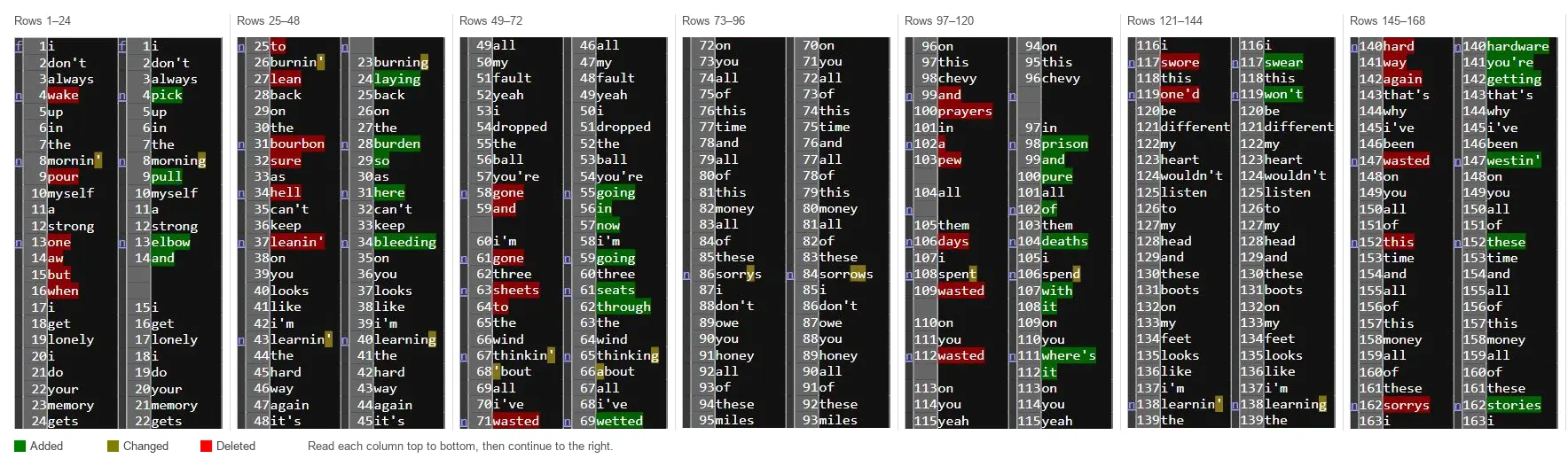
equal list1 12 list2 12 tokens i don't always wake up in the mornin' pour myself a strong
replace list1[12:16] with list2[12:14] -> list1 tokens: ['one', 'aw', 'but', 'when'], list2 tokens: ['elbow', 'and']
Matching segments was handled by difflib. The difficult part was "replace" operations, especially when the number of words differed significantly. I used get_opcodes() to examine the differences and try to map the original lyrics onto the available timestamps. I've gotten as far as a recursive approach, without any AI help. Roughly:
- Run
difflib.SequenceMatcheron the two token lists. - Map matching segments directly.
- Estimate alignment for small replacement segments.
- For larger mismatches, recursively compare the affected segments, hoping to find smaller matching sequences.
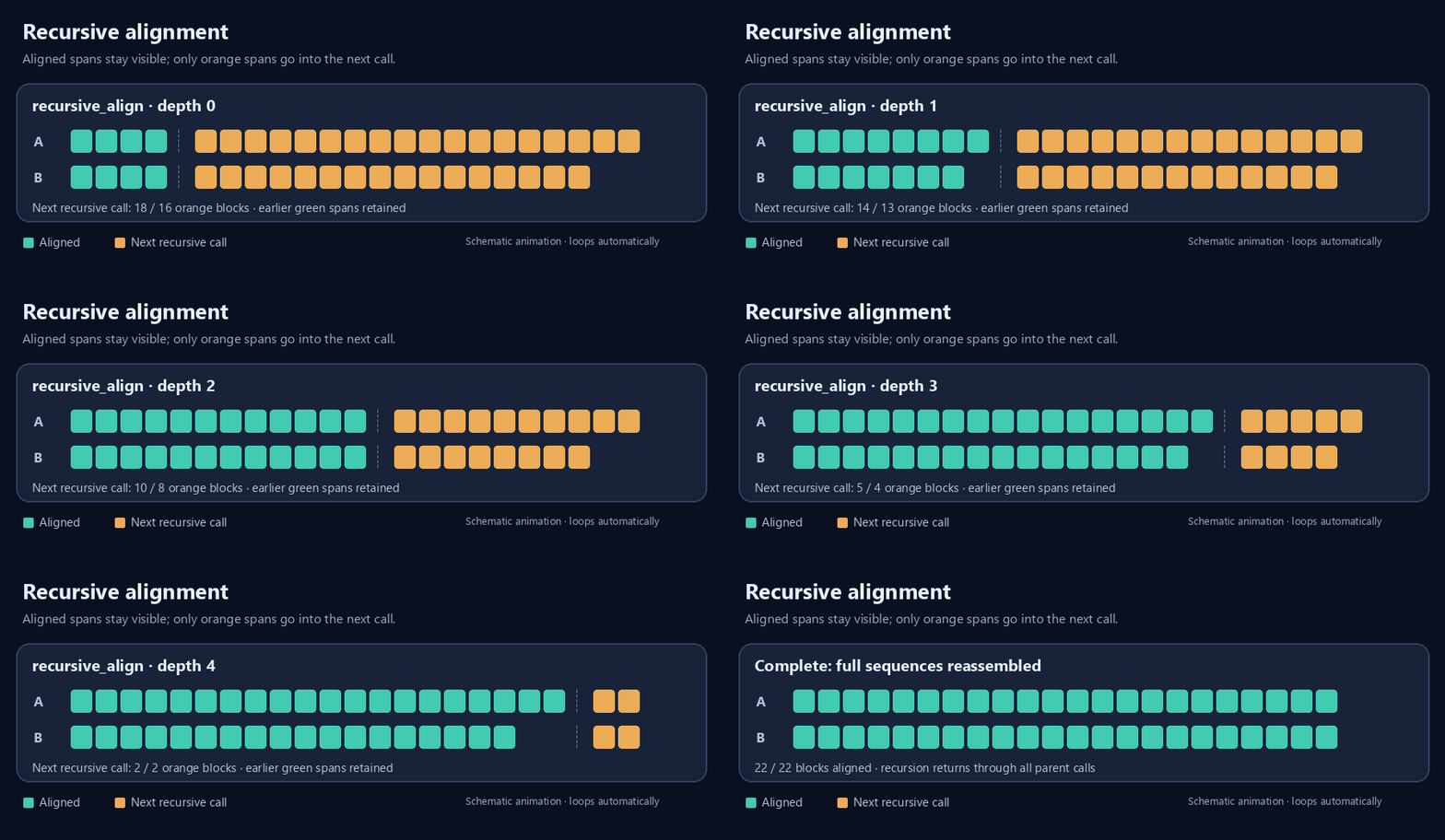
I challenged it, but it didn’t work, even with Wasted on You. It got stuck in a recursive loop; I wasn't eager to try on difficult test cases.
The Pivotal Discovery
I'm glad I didn't immediately ask AI to generate an algorithm, which it can solve, but suboptimally and leaving me huge technical debt and edge cases. Because it turns out WhisperX library has built-in alignment. This line is all I needed.
aligned = whisperx.align(transcript, align_model, metadata, audio, device)
The function is designed to align transcription against audio, but the transcript doesn't need to come from WhisperX process. I already had the correct lyrics and the audio. I only needed to convert the lyrics into the WhisperX segment structure without transcription.
Initially, I thought the obvious approach was to preserve the line-level timestamps from the LRC file and convert each line into a separate segment. However, I found that flattening the lyrics into a single segment often produced better results in my testing, because music videos can contain introductions, pauses and outros that don't have corresponding lyrics.
[{"start": 0.0, "end": 2.0, "text": "Lyrics line 1", "words":[]}, {"start": 2.0, "end": 4.0, "text": "Lyrics line 2", "words":[]}] // LRC with timestamp
[{"start": 0.0, "end": 4.0, "text": "Lyrics line 1 Lyrics line 2", "words":[]}] // Flattened LRC
It Worked So Well
The WhisperX JSON format was the foundation for karaoke lyrics alignment. With word-level timestamps available, the player can highlight each word as the video plays. 9d586b7 brought the karaoke experience to life with word-by-word highlighting.
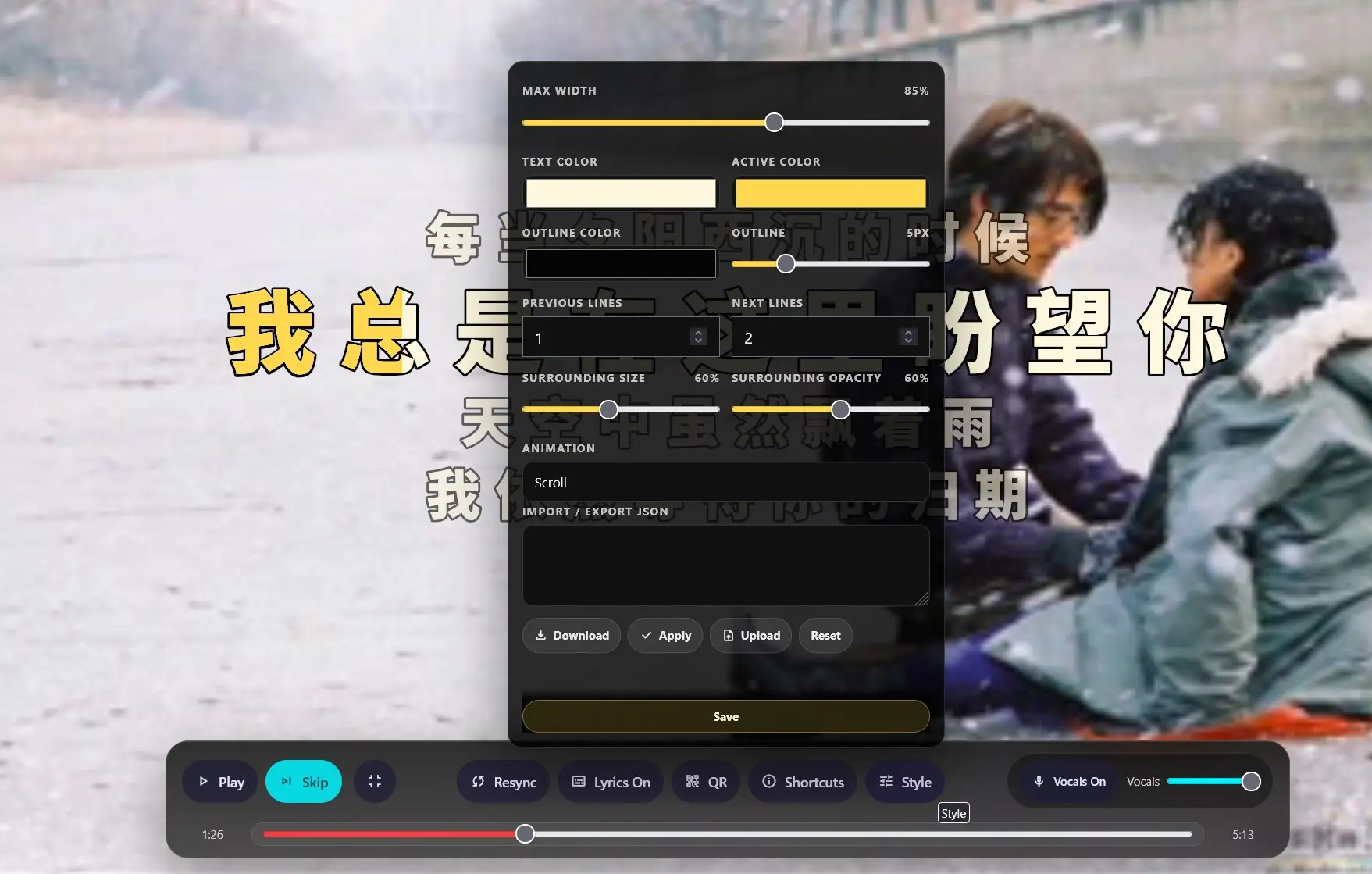
Instead of rapid development, I found myself actually enjoying the application, adding my favourite songs to the queue, listening to the separated instrumental tracks and watching the lyrics scroll in sync with the music.
Additional Features
With the vocals and lyrics JSON sidecars, media management can be improved. These features grant even more flexibility for the tracks, videos and lyrics control over their media and preference.
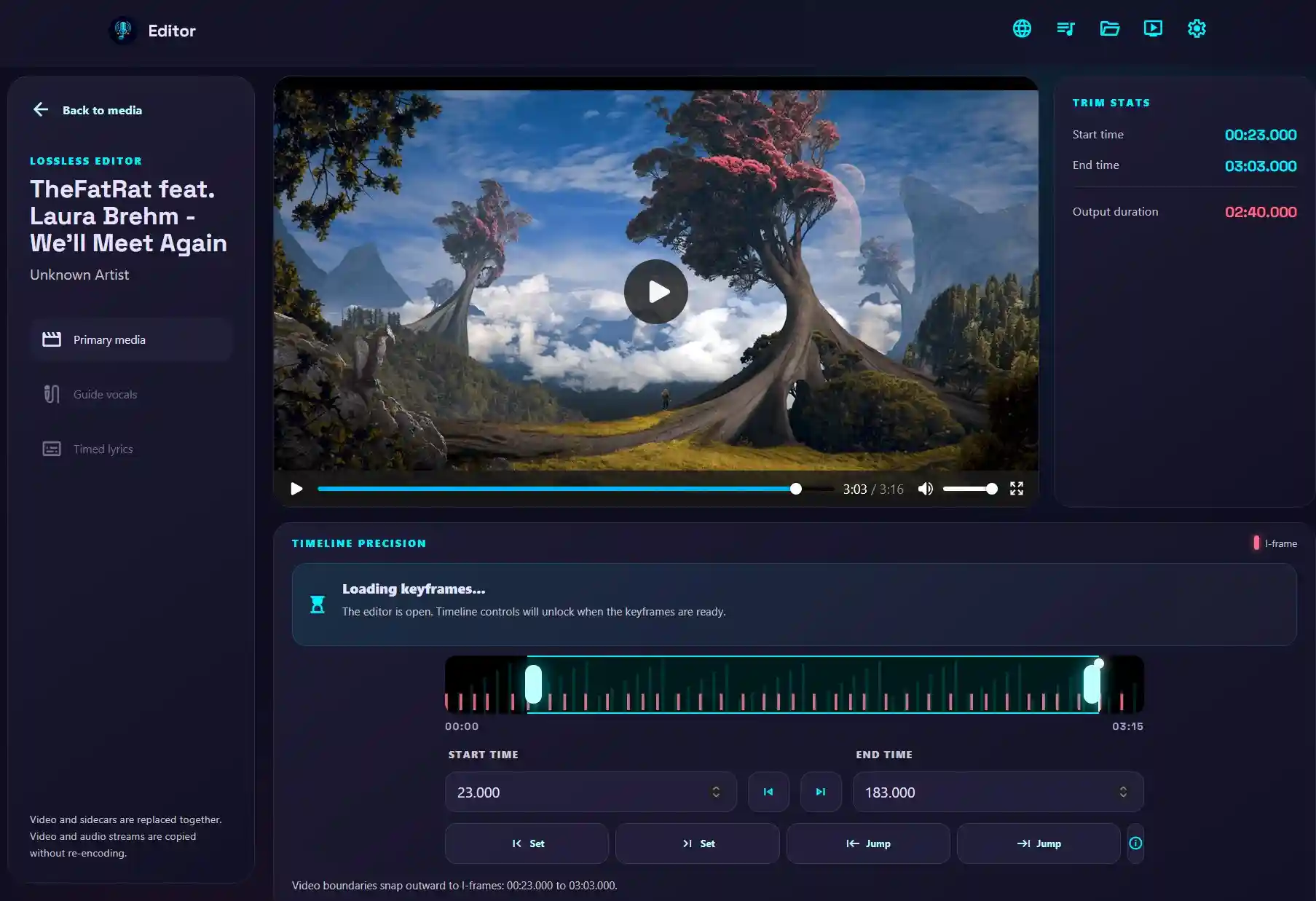
- Lossless video trimmer: Quickly trim video intros and outros at keyframes without re-encoding
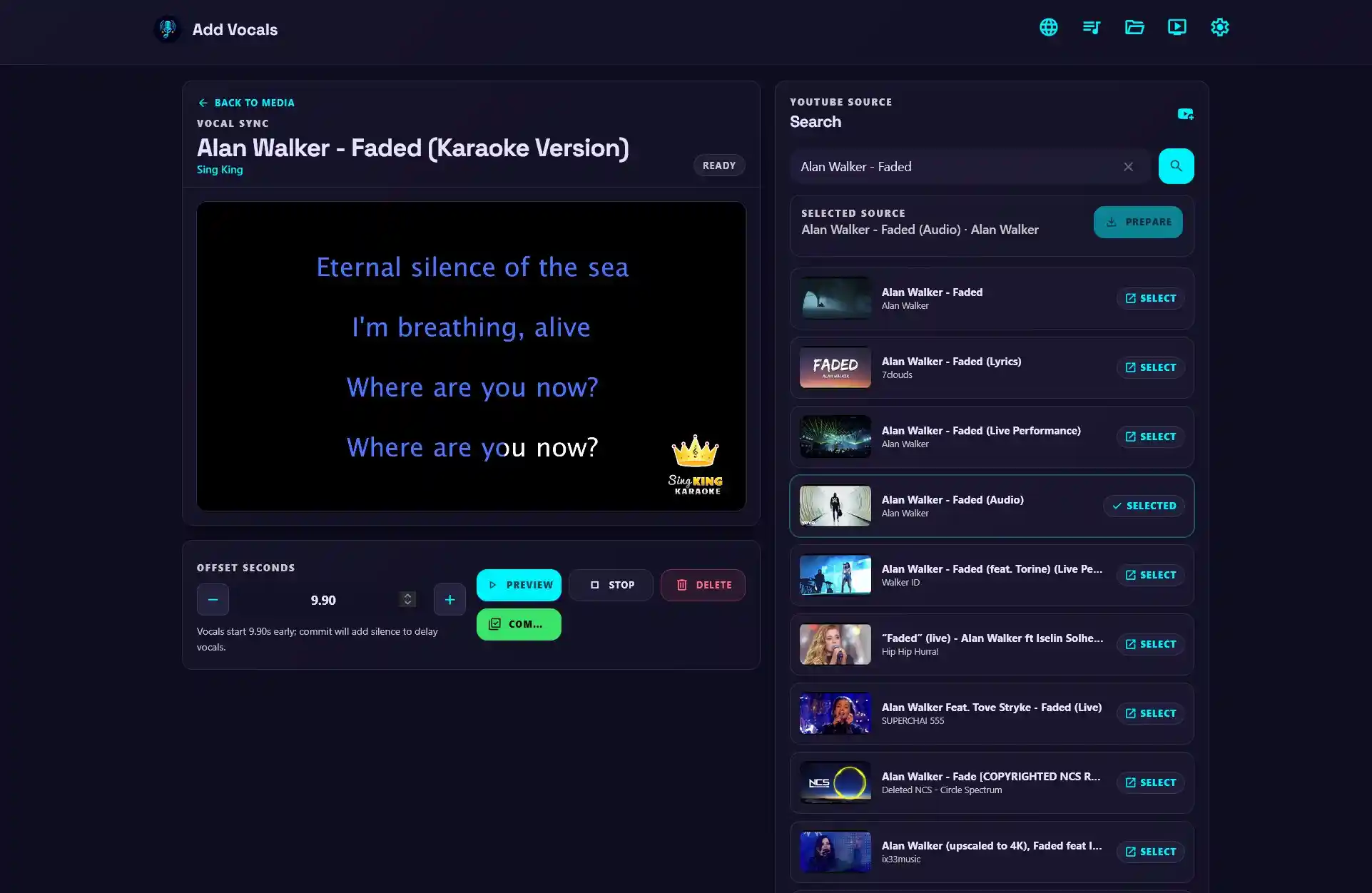
- Add Vocals: Add vocals on pre-made YouTube karaoke and synchronize it with the original video
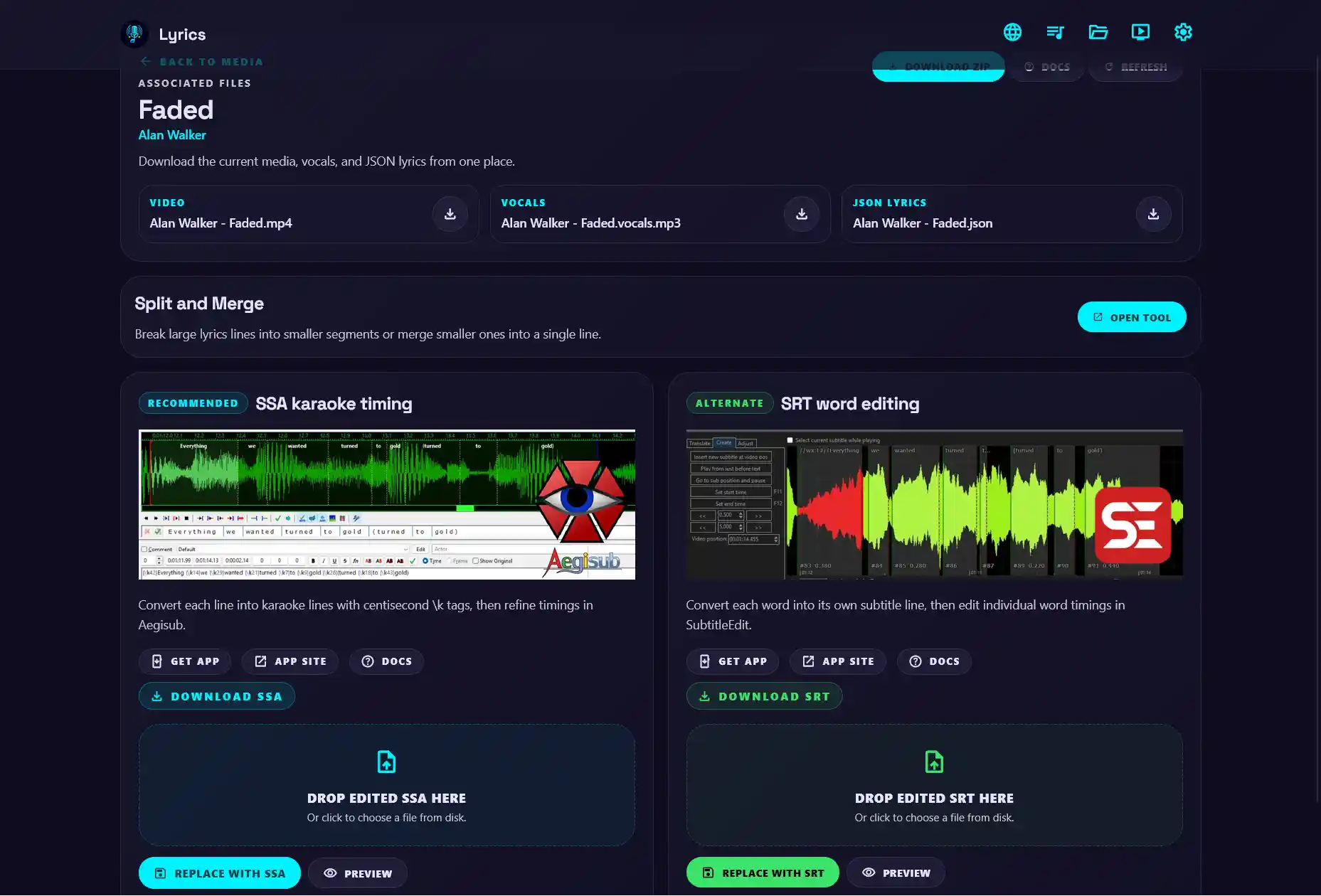
- Lyrics Editor: export WhisperX JSON to ASS or SRT for editing in Aegisub/Subtitle Edit then re-import, it also supports splitting and merging lyrics lines
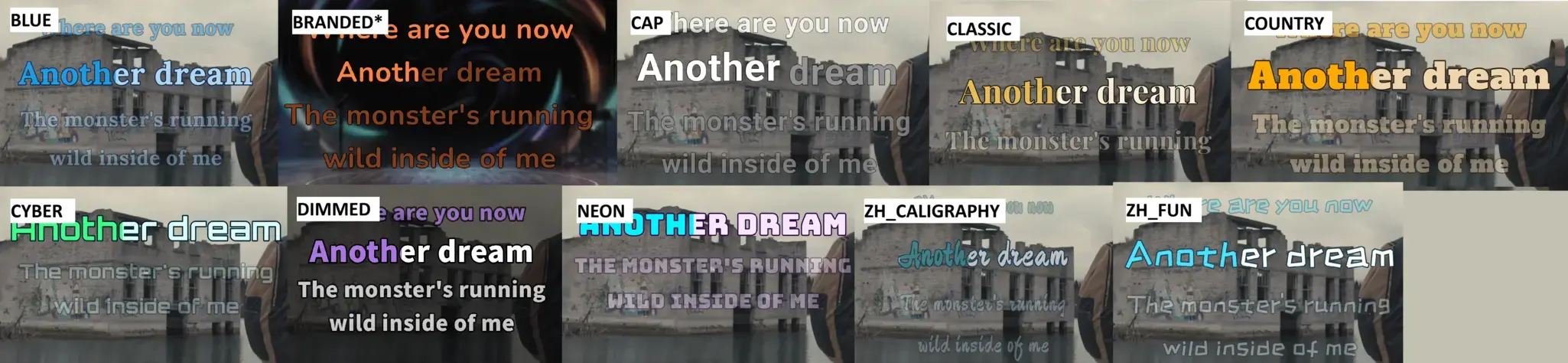
feat/advanced-lyrics added advanced customization for display and styling lyrics with support for presets
Despite a vibe-coded project, I did plenty of research, writing Jupyter notebooks, experimenting with ffmpeg commands and Python libraries and functions before sending the specs to AI. My previous knowledge in ffmpeg video processing was more valuable than asking AI for architecture.
More Pivotal Discoveries
Demucs and WhisperX worked well with NVIDIA GPU acceleration, but processing was considerably slower without a GPU. While researching alternatives, I discovered SherpaONNX which can use Spleeter models efficiently on a CPU, reducing the time from over a minute with Demucs to 20 seconds. The quality wasn’t as good as with Demucs; that is the tradeoff for performance.
I decided to use a base class with inheritance to abstract vocal separation backends, maintaining a modular codebase. The same design was also found with custom lyrics providers. Musixmatch, lrclib, NetEase can change, but users can easily patch it or add their own providers; the app should outlast myself, the original developer.
TTML
Unfortunately, there aren’t any CPU-only WhisperX alternatives, even though WhisperX seems to perform faster and work better. TTML (Timed Text Markup Language) came to the rescue.
While listening to some music on monochrome, I've noticed the website showed live lyrics. I opened the devtools and inspected network requests.
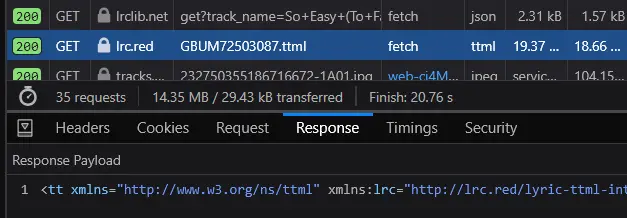
The application was retrieving TTML files elsewhere, but rather than searching by name and artist, it uses GBUM72503087.ttml or ISRC (International Standard Recording Code). I didn't investigate how Monochrome obtained that, but I discovered Musixmatch provided the ISRC, giving me a way to connect the song metadata with the TTML flow.
<!-- Incomplete TTML --> <div begin="5.661" end="30.142" lrc:songPart="Verse"><p begin="5.661" end="8.828" lrc:key="L1" ttm:agent="v1"><span begin="5.661" end="5.829">I</span> <span begin="5.829" end="6.184">could</span> <span begin="6.184" end="6.403">be</span> <span begin="6.403" end="6.808">the</span> <span begin="6.808" end="7.258">twist,</span>
Much like WhisperX JSON, TTML is XML with word-level timestamps, precisely timed by a professional. There is zero GPU processing needed, just the conversion from XML to WhisperX JSON. The limitation was these lyrics were synchronized to the original music, not the music video with intros. I connected TTML lookup to Musixmatch and provided it as an upgrade, not the default.
Together, Sherpa-ONNX and TTML offered ways to reduce computational requirements and make the application more accessible to people without powerful hardware.
Load Balancer Woes
I briefly considered splitting individual songs into segments and processing them in parallel using multiple Demucs services, which could speed up especially CPU processing. However, that would introduce substantial complexity around segmentation and recombining. A simple approach would be track-level load balancing, where each track is distributed to different servers.
The main app submits a processing request to the Demucs service which returns a job ID, then polls or listens for SSE for progress updates. Once it finishes, it requests the completed files from the same service.
Unfortunately, this wasn't designed for a load balancer. The first request may be routed to one server, but the subsequent polling or SSE may be routed elsewhere, and the server wouldn't recognize the job ID or have the files.
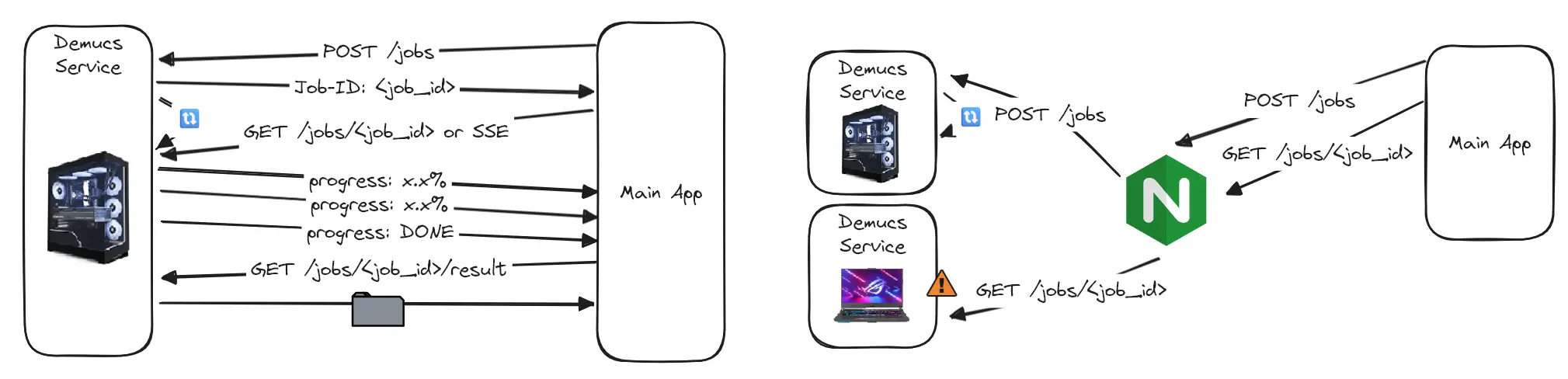
Instead of high throughput Nginx/Caddy, I'd need an application specific server that keeps track of request/response and job ID, and designing an entire system for handling scaling, server discovery, health checks and failover. A significant undertaking for minimal gains.
Callback Solution, Almost
The callback solution occurred to me: instead of polling or SSE, the server submits a job with a callback URL. Once processing finished, the Demucs service would send the resulting files back to that endpoint. A clever workaround I must say, but with a catch:
The main app must be reachable by all the Demucs services.
For LAN or Tailscale deployment, this is a non-issue. But for friends who shared Demucs GPU via Cloudflare or similar tunnels, the tunnel only works inbound from main app to Demucs, not the reverse. The karaoke host needs to expose the main app publicly for the callback to work.
I guess this is an advertisement for Tailscale. But still, without polling or SSE, no progress bar can be shown on the main app. In the end, I understood the limitations of load balancing and chose not to implement it.
Real CI/CD
Mom, can we have CI/CD at home?
Yes. Unlike my earlier projects, DMKaraoke has a proper CI/CD workflow for building and publishing Docker images to Docker Hub.
I reused some of the experience from my htpc-troubleshooter project. The AI agent generated much of the publishing workflow, but I identified an important optimization after inspecting the image.
Previously, I used a statically compiled ffmpeg because the default ffmpeg in apt lacked features. While that’s not the case here, I observed apt install ffmpeg contributed to the large image size. I used the same statically compiled ffmpeg, eliminating the need to install additional packages; it reduced the image size by 35%:
- Before optimization: 300MB
- After optimization: 195MB
As usual, the build works for AMD64 (ancient office PCs) and ARM64 (cheap SBCs) and uses a multi-stage build to reduce size.
Documentation
Documentation was a tedious but important part of the project. I didn't want to let AI generate everything without review; these docs are useful for agent context, but for a public-facing application, they need to be accurate, readable, and genuinely helpful.
I used Material for MkDocs, with themes adapted to match the visual design. The internationalization was using MkDocs i18n plugin, the docs are available in English, Chinese, French and Spanish.
The documentation is bundled with the FastAPI application and served under /help for offline access. In addition, I used a CI job to publish it online to:
Production Deployment
By September, the app is feature complete. After testing it with my family, I was satisfied enough to run in production.
It's simple, a Docker image with an Nginx Proxy Manager reverse proxy.
For authorized users on the network, the application is already gated for admins. The key is for preventing random internet users from accessing the app, because the queue and media browsing features require no auth.
I've restricted the access to only users connected to my Guest Wi-Fi. My reverse proxy only authorizes users in my LAN subnet. Even though the Guest Wi-Fi prevents direct access to the karaoke app, routers use hairpin NAT so from the reverse proxy, the request comes from the router and is accepted.
Conclusion
100,000 lines later. What started as an idea in 2022 finally became a production-ready karaoke application with the help of agentic AI. But this project went far beyond vibe coding. Along the way, I built a mobile development workflow and Project Board to streamline development, and tackled challenges involving machine learning, media processing, software architecture, and deployment. AI accelerated implementation, but planning, research, testing, and decisions remained my choice. In the end, I got a karaoke system I enjoyed using with family and friends, without expensive hardware or cloud subscriptions, while gaining valuable experience and a development workflow I can carry forward.